Unexpected token ILLEGAL when debugging coffeescript

Trying to get some coffeescript debugging going in WebStorm.
```
C:\Users\jcollum\AppData\Roaming\npm\coffee:2
basedir=`dirname "$0"`
^
SyntaxError: Unexpected token ILLEGAL
```
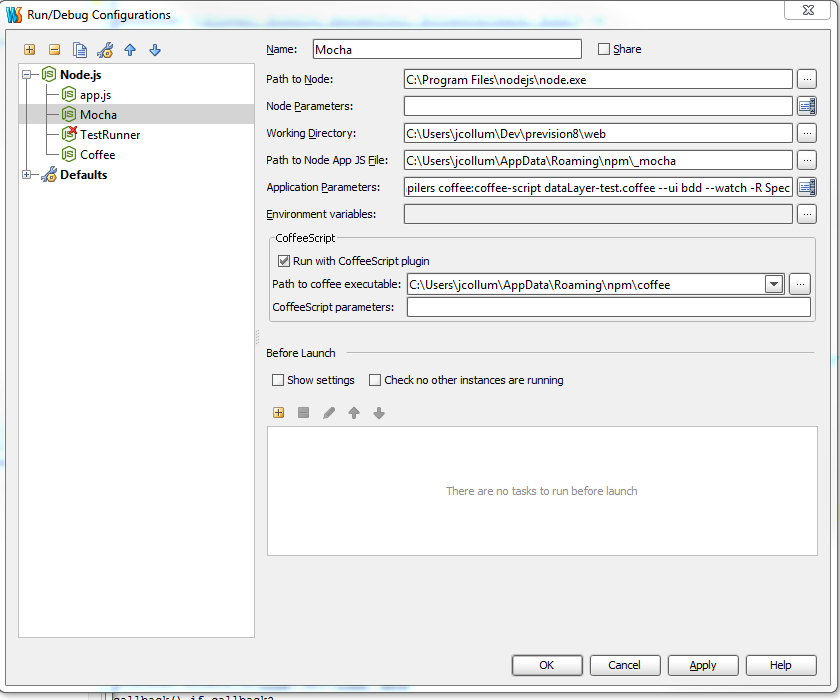
You can see the setup for Mocha debugging in the attached screenshot. It looks like I'm setting it up correctly. I found a blog post (that doesn't use coffeescript though) that detailed how to set it up and I'm following that. Unfortunately I'm getting this cryptic error message. I've messed around a bit and never gotten any better results.
Attachment(s):
Capture05.PNG
请先登录再写评论。
Justin, please attach screenshot with the error message.
Kirill
attached
Attachment(s):
Capture06.PNG
This error was caused by execution of "C:\Users\jcollum\AppData\Roaming\npm\_mocha" as CoffeeScript source.
WebStorm 5 can't debug CoffeeScript Mocha tests for Node.js, but it can run them.
Open the attached project in IDE and run "mocha-tests-run" Run Configuration.
It should output:
Attachment(s):
Coffee-Mocha-test-run.png
coffee-mocha-sample-tests.zip
Thanks Sergey, that was helpful. Did you read that blog post? It's very recent and discusses debugging mocha tests in webstorm.
That article is about JavaScript Mocha test debugging and you asked about CoffeeScript Mocha tests debugging.
The problem is that WebStorm 5 doesn't support CoffeeScript Node.js debugging.
Seems like I should be able to get this to work by running it through a transpiler first. Suggestions?
If you'd like to debug generated JavaScript code then you need to run CoffeeScript sources through a transpiler first and after follow the step from that article.
CoffeeScript Node.js code debugging will likely be available in WebStorm 6.0.x version (you'll need to run CoffeeScript sources through a transpiler first and also generate source maps).