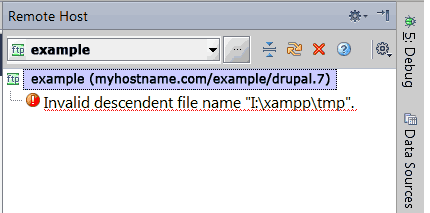
Invalid descendent file name: I:\xampp\tmp

When adding a remote host to a project (to put files to production server using ftp), it results with an error: "Invalid descentent file name: I:\xampp\tmp" which is displayed as the only thing in the Remote Host browser window.
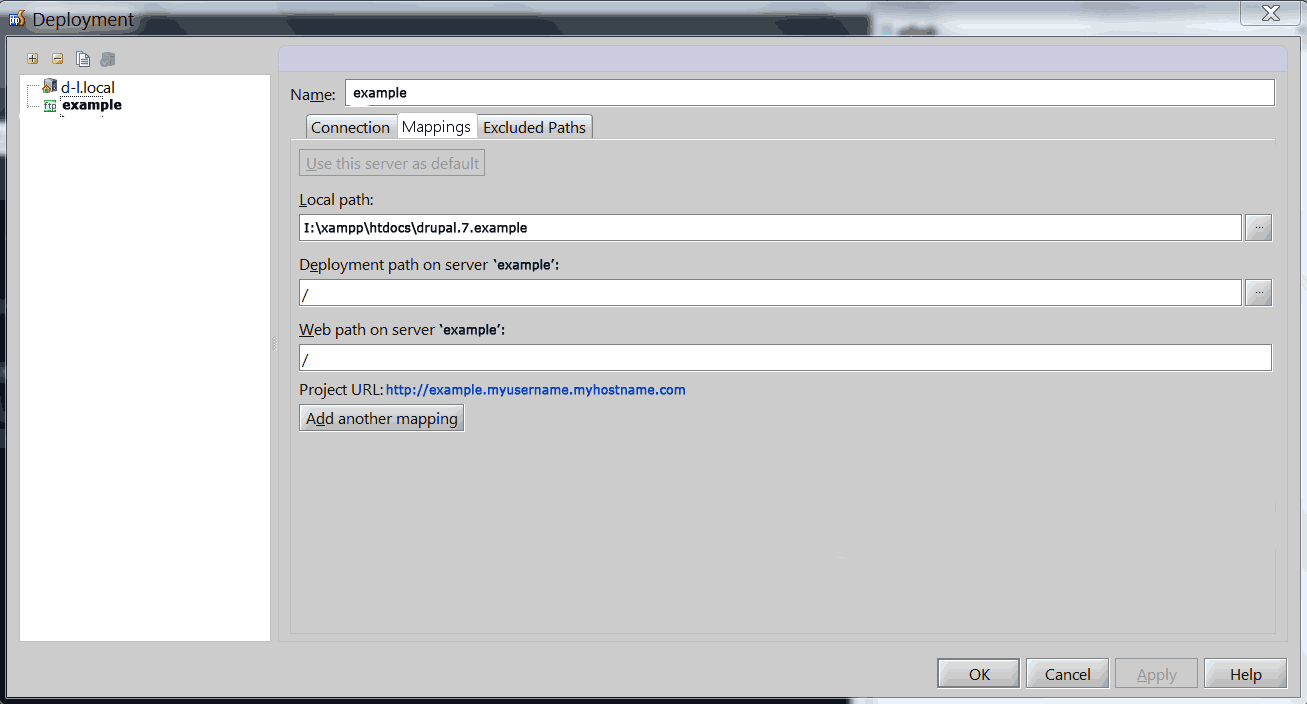
On Windows XAMPP localhost, the development server is located in i:\xampp\htdocs\drupal.7.example and this is the project root. This configuration works and debugs ok in local environment.
Then, in Tools->Deployment->Configuration I have configured FTP settings and succesfully tested the FTP connection. But the Remote Host browser does not display anything except for the error. So I can't put any files to remote host.
How to configure this? I suspect something may be wrong with the "Browse files on server: Web server root URL" setting, because web server url and ftp directory is a completely different thing, but I don't know. Besides, why is he even checking the I:\xampp\tmp folder?? It is a Windows folder and has nothing to do with remote Linux host.
Here is the configration (click on the files, otherwise they are unreadable):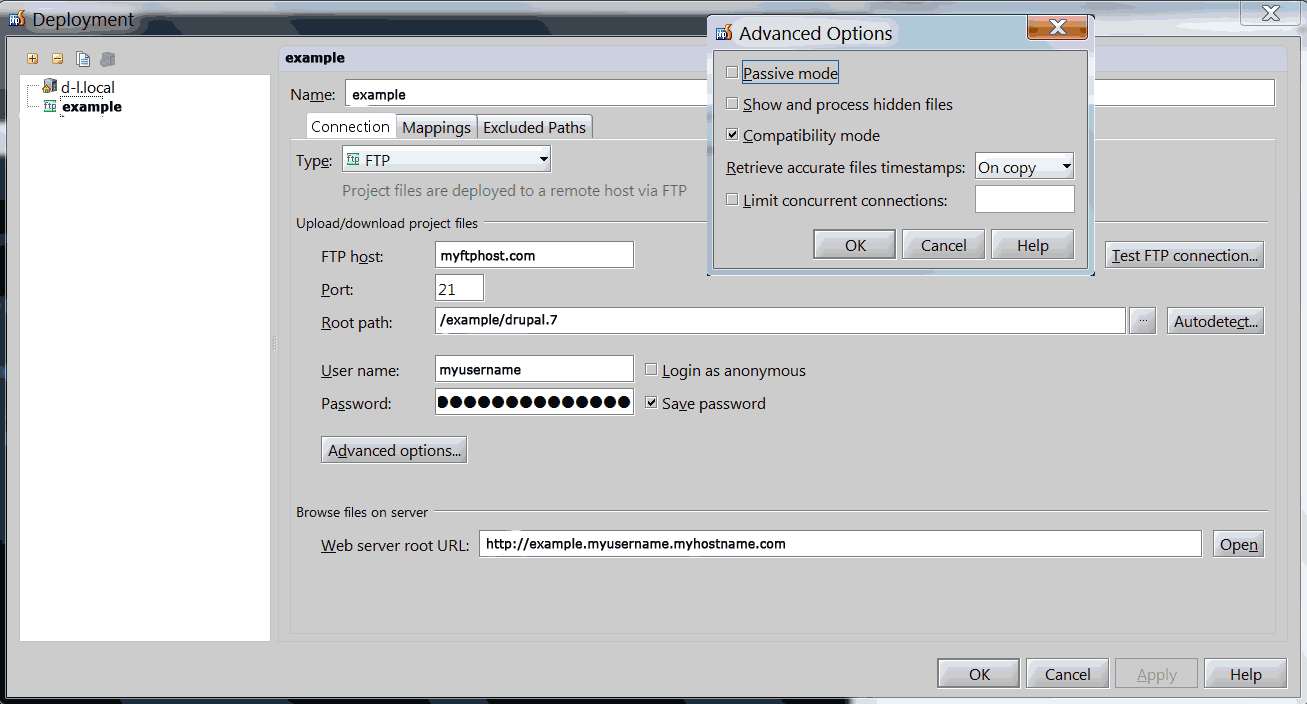
请先登录再写评论。
bump
Hello!
Is servers's root /example/drupal.7 a link? Coold you provide logs collected as here described? Looks like a bug, so it's better to report it here and proceed discussing on tracker.