When setting the Scala SDK global library how do I get the 'Select JAR's for the new Scala SDK' dialog?

I got this mystery where I get a difference in behaviour of the Scala plugin between my Intellij (IU-141.1531.2, scala plugin 1.5.2) and that of a colleague (same version of intellij and plugin). When on my Intellij I want to configure a new Scala SDK I get this nice dialog (see image below) where I can select the latest Scala SDK and it will then download it for me. My colleague doesn't get this dialog but he needs to select the SDK directory manually (and thus download the SDK manually beforehand).
I do not understand why he doesn't get the nice automatic download dialog. So my question is: how can my colleague also get this dialog?
The nice dialog I get: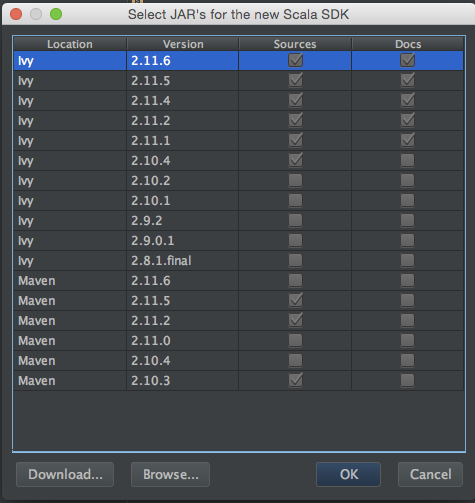
请先登录再写评论。
Hi Maurice,
It's an artifact from the time when there was no "Download.." button - the whole dialog is skipped if no Scala SDKs are present in a system.
That should be fixed now, thanks for the reporting!
That is great! Thanks for explaining it and fixing it!