RSpec - Won't Run

I've seen this error condition described in a few posts, but all of the solutions appear (I think) to relate to older versions of RubyMine. Certainly, I could find where to do what they were saying (ie. "Update Generators").
I am using this build: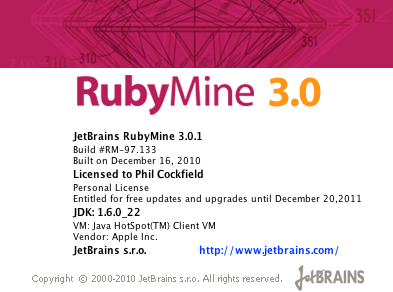
I have a freshly generated rails project, with the following gems installed/attached:
So I think I have all the required RSpec bits pulled in. Certainly this gem-file is working for me on other RubyMind rails projects I'm working on (on the same machine).
So the error is when I right click the spec folder, and choose to Run the specs the following error is reported in the IDE:
Error running All specs in: spec:
RSpec './script/spec' script not found. Please install RSpec rails plugin or RSpec Gem, reload generators and run 'New|rspec:install' generator from RubyMine to setup RSpec support
What to do? I've installed RSpec. The rest of the instructions don't make sense. How do I reload the generators. Within my list of generators, there is no "rspec:install" option.
Thanks for any help you can provide. It's weird because this works fine on the same machine in different projects, so I'd like to know what I've done wrong. Cheers
请先登录再写评论。
Duh. My bad.
rails g rspec:install
From the command line does the trick.
Easier was to launch generator using RubyMine - "RubyMine | Tools | Run Rake Task..."
Nice - thanks Roman