plugin development : modify javascript syntax highlighting rules

Hello,
I want to do a small change in .js files highlighting rules so that a piece of code inside :
/* KEYWORD
code
*/
follows the normal .js highlighting instead of the commented one.
Any advice on how to approach this problem ?
Thanks.
请先登录再写评论。
You can try IntelliLang language injection approach.
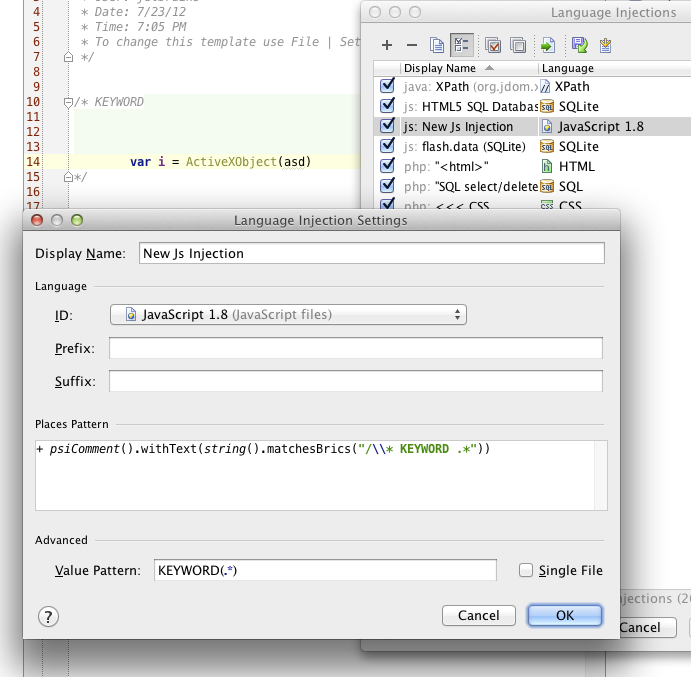
I've just pushed a small fix to to IDEA 12 that makes this possible:
otherwise you can write your own LanguageInjector.
Something like:
package foo;
public class MyCustomInjector implements MultiHostInjector {
@NotNull
public List<? extends Class<? extends PsiElement>> elementsToInjectIn() {
return Collections.singletonList(PsiComment.class);
}
// if this is javascript comment and ..
// .. if this is the required host
if (host.getText().startsWith("/* KEYWORD")) {
registrar.startInjecting(host.getLanguage()); // we can inject the same language
registrar.addPlace("", "", host, desiredTextRange);
registrar.doneInjecting();
}
}
}
and register it in plugin.xml:
<multiHostInjector implementation="foo.MyCustomInjector"/>
Hi,
Many thanks Gregory !
Using 10.5.4, so slightly modified your MyCustomInjector class and works perfectly.
Exactly the answer I was looking for.