Multiple test resources - files not copy in output directory

Im using intellij 12.0.4 (community) and i try EAP 12.1, i got the same wrong behavior.
I try to setup my java project with multiple test resources directory, im using the maven convention
src/main/java => target/classes
src/main/resources => target/classes
src/test/java => target/test-classes
src/test/resources => target/test-classes
src/it/java => target/test-classes
src/it/resources => target/test-classes
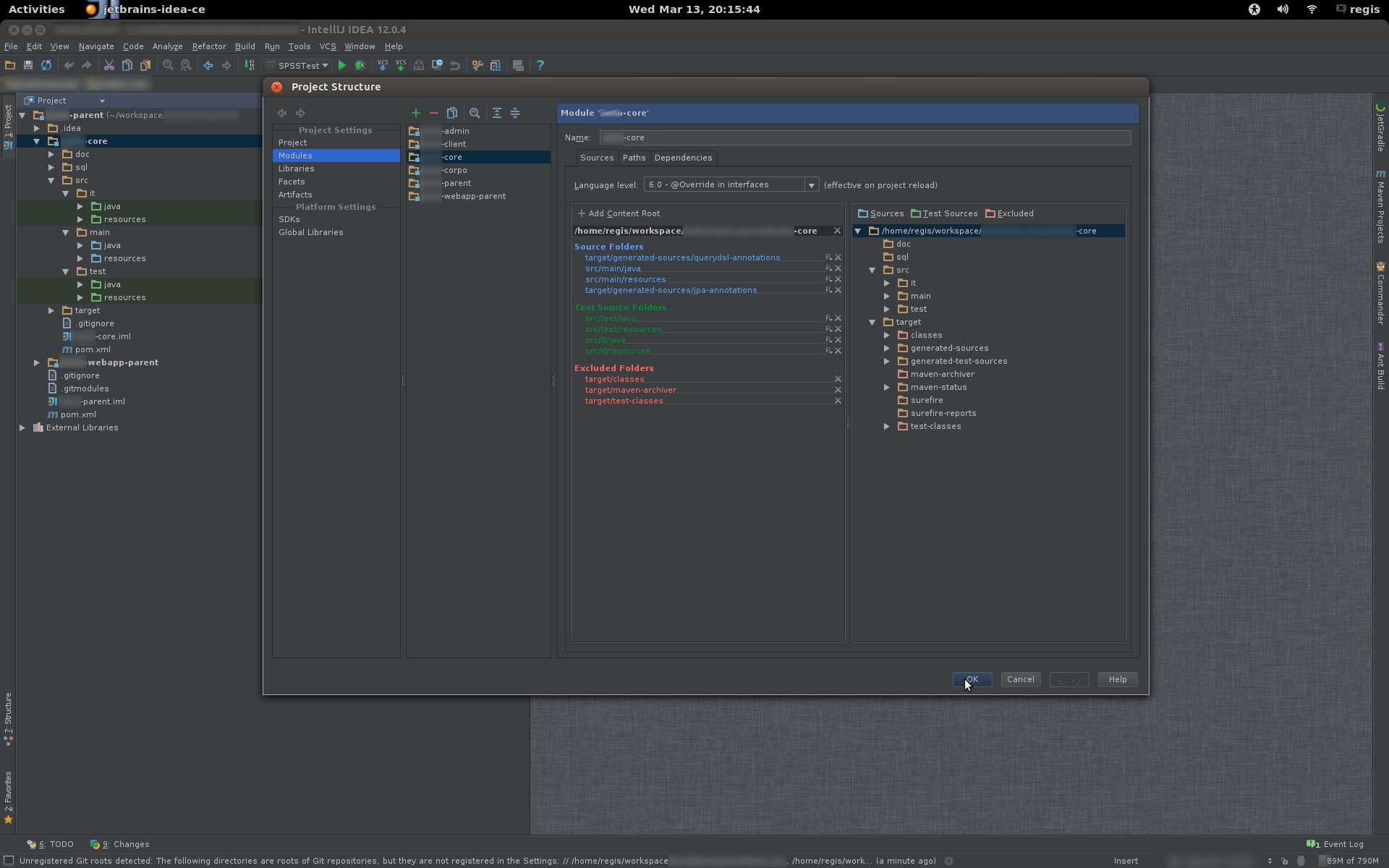
The project is well setup by defining the directory as a source folder or test folder (look at the picture attached)
When i do build => Compile module 'xxx-core'
target/test-classes folder contains the compilation of the src/test/java and src/it/java, and only the files in src/test/resources. Im missing all the files (xml, properties) in the src/it/resources directory.
The content of the folder src/it/resources is never copy in the target/test-classes folder.
What i am doing wrong ???
PS: if i declared only one folder (src/it/resources) as test folder it doesnt work either. I dont want to put the files in src/test/resources.
I google and search everywhere i found nothing, it is a bug ???
Attachment(s):
Screenshot from 2013-03-13 20:46:15.png
Screenshot from 2013-03-13 20:15:44.png
Screenshot from 2013-03-13 22:37:46.png

请先登录再写评论。
Hello,
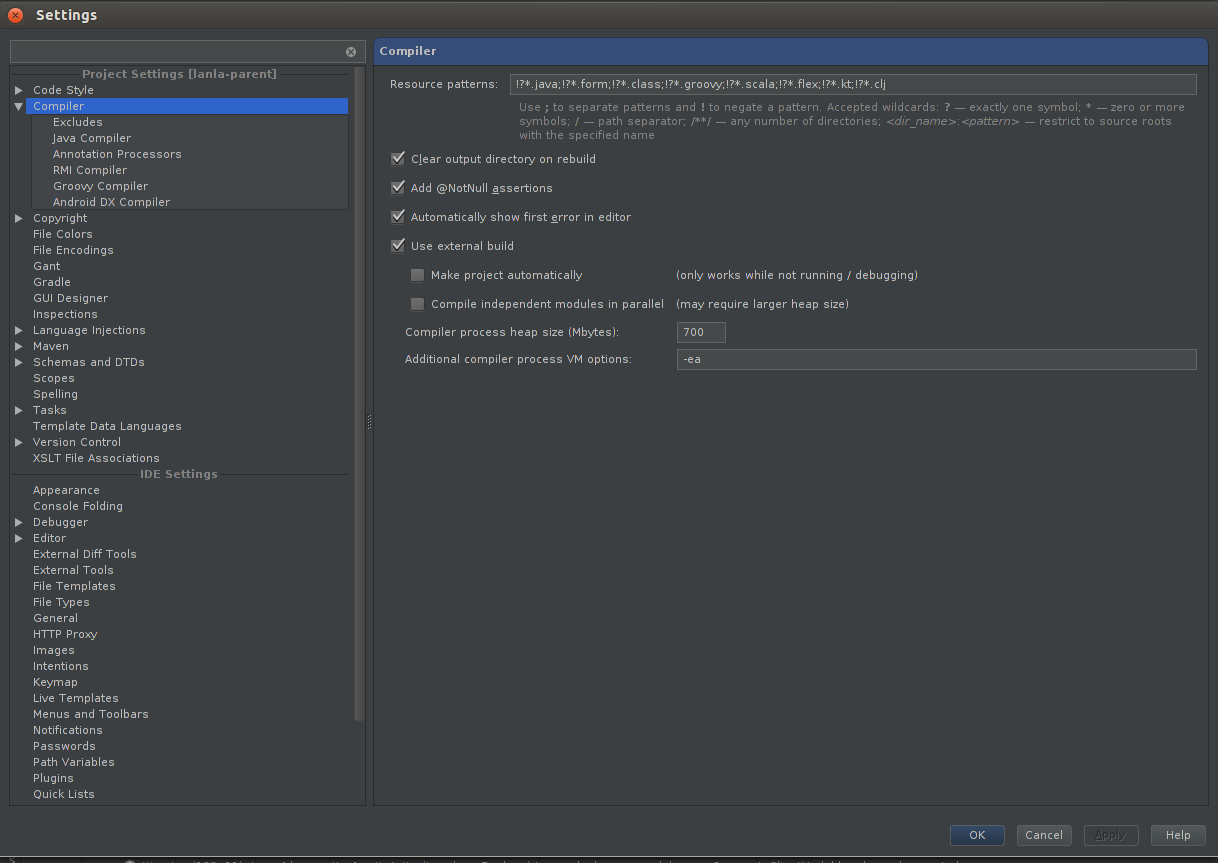
Please check your compiler resources patterns at 'project settings | compiler' and ensure there is no excludes for the target file types.
Please provide a sample project which illustrates the problem if compiler resources setup is ok.
Denis
Um aren't your XML files under target/test-classes as you've set this as the output folder for tests?
Il already join all the screenshots
=> compiler option
=> output folders
=> and project structure
If you check everythin is well setup or i missing something very basic
I attach a simple project and the files in the folder src/it/resources are not copy in target/test-classes
even with the last intellij v12.1 IC-129.17
Attachment(s):
simple.zip
I ran into some funky behavior in Intellij where I had to toggle the sources and Test Sources directories.
For example, when I imported a maven project Intellij, for some reason didn't recognize my package structure and dispalyed it as one large line.
A "fix" that worked for me was to go into the Project Structure dialog and sources tab and manually toggle the /src/test/java and /src/test/resources directories.
Make sure /src/test/java dispalys green and /src/man/java displays blue. This may not work for you,but it's worth a shot.
Hi Carl.
Reproduced the problem locally. You can use in-process compiler as a workaround. Meanwhile I forwarded the question to responsible person.
Denis
So it is a bug, and not a little ONE. Where are the unit test ??? :p
I open a ticket http://youtrack.jetbrains.com/issue/IDEA-103081