JDK Documentation in IntelliJ

Hello every one,
I am new to Java development and new to IntelliJ. Even though I am a big fan of PHPstorm and other products by jetbrains.
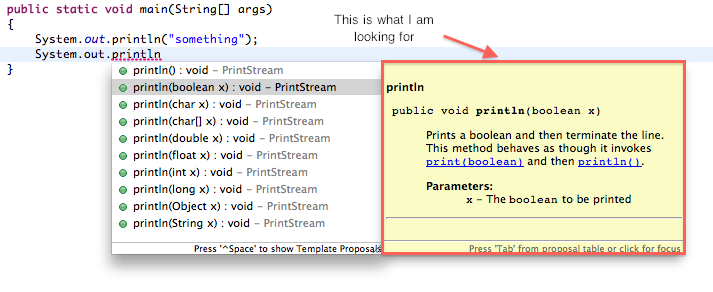
As I am new to Java, I need the JDK doc to appear and assit me during coding. (As they show in Eclipse and Netbeans for example) I think using the JDK doc API.
However I tried to download the JDK and its documentation and added the documentation API to the documentation path in the project structure.
However, now when I press shift+F1 the documentation is opened in the browser from my local directory. This is good, but it is not what I am looking for.
I am looking for something similiar to the one in Eclipse (In line) JDK documentation. so I dont need to switch between the IDE and browser to read a class documentation.
is this possible ?
See attachments :)
Attachment(s):
jetbrains.png
请先登录再写评论。
press Ctrl-Q while on item
Hello,
Please check this reference page.
Denis