Option 'File Colors'

Some history:
Today i was see option 'File Colors'(i use IDEA more than 3 years), and was set to scope 'Problems' color 'Rose'.
The first thing I was confused - it no example(tab colors is not equals selected in active/deactive state).
The second is 'shared' what is it? :^O
And i start study IDEA code to change it.
My first test is:

Maybe some stupied. But it works;\
Second variant was after when i learn FileColors API (if that classes can name - API:|)
Comments:
Two settings that can removed without problems. What stupied name FileColors(wtf), i think is old name :), and was not changed. Shared 'colors' what is it? Many code in comments. It was deleted or not done(low priority option)
I trying to move it to Settings->Editor->Font & Colors->Background colors(files, tabs). But if change this - it became project independent. I think that in IDEA settings it became 'templates' of tab colors, and add settings to project. Example:
Project Scope - Template
-- default settings
Default - Default
Tests files - Tests files
Non Project Files - Non Project Files
-- user can define their scope, but use standart colors
Deprecated Files - Non Project Files
-- or add their scope and color
Problems - Problems
etc.
Some screenshots of this of work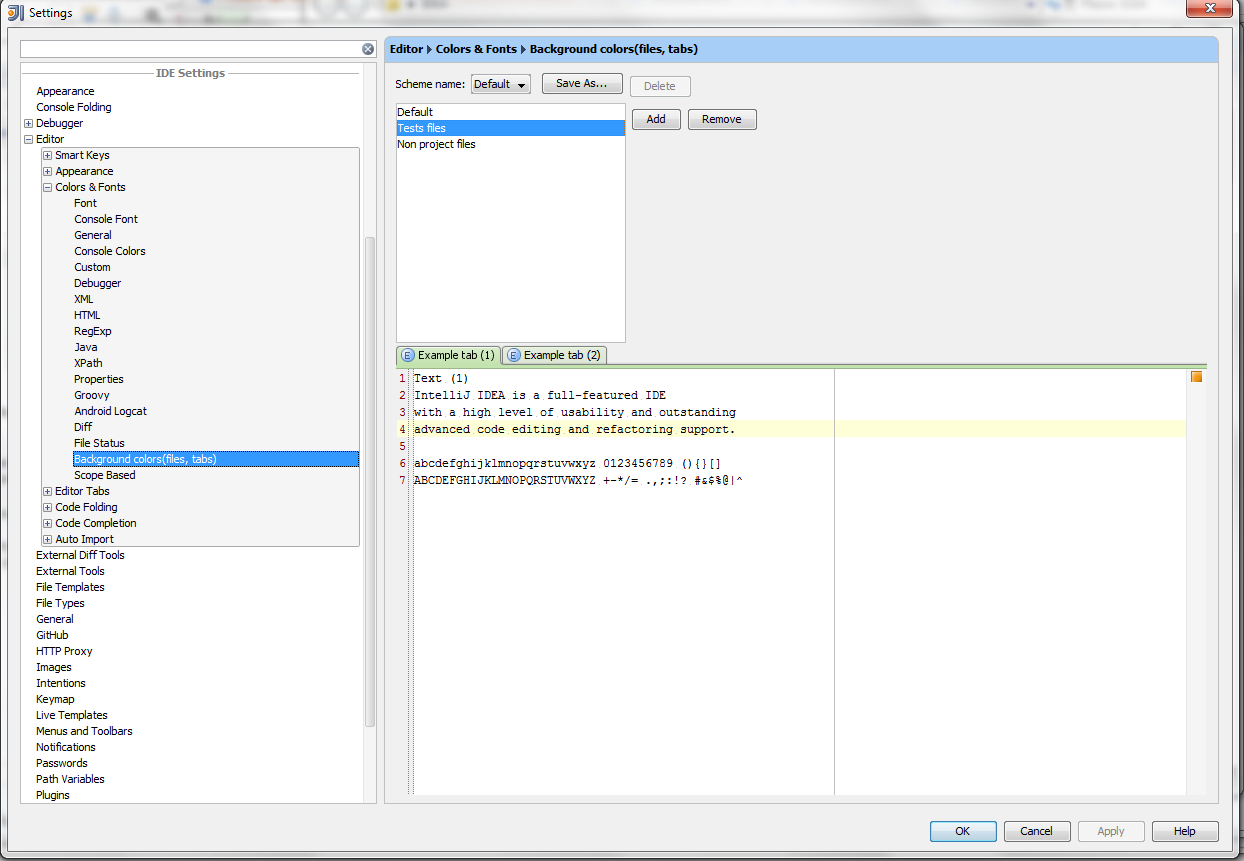
I wait for some comments(what do u think about it)
I write it some hours - speed of write is not big, because i dont known API of IDEA(this is my first serious attempt to learn IDEA API, and write something), and 5.15 AM :D
thx for listened. VISTALL
请先登录再写评论。
"Shared" colors means these settings will be written in a separate file and could be put under a VCS.
See http://youtrack.jetbrains.net/issue/IDEA-25978 for template project settings.