Running Tests from Project Explorer

Is there a way to right-click on a package in the Project Explorer and only run the tests in that module? Every time I try to run all tests for a module, I end up getting all tests in my project that have the same package hierarchy.
This is especially a problem, because I like to "Compact Empty Middle Packages", so right-clicking on a package that is something like "com.companyname.project.modulename.ui" ends up trying to run all tests under "com"
Any ideas? Thanks!!
请先登录再写评论。
Hello Angella,
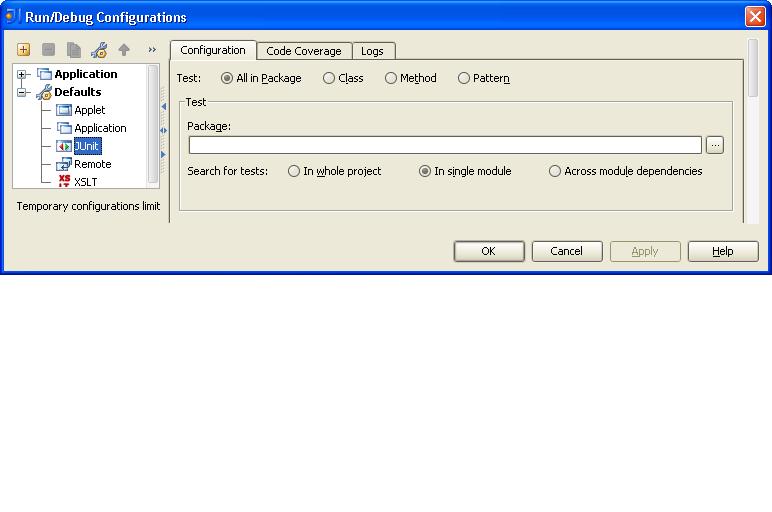
Open the Run/Debug Configurations dialog, expand the "Defaults" node, select
JUnit, select "All in package" radio button, choose the required "Search
for tests" option.
--
Dmitry Jemerov
Development Lead
JetBrains, Inc.
http://www.jetbrains.com/
"Develop with Pleasure!"
That didn't actually resolve the problem. I also made sure to clear the cache of temporary run configurations, but when I right-clicked to "Run Tests" on the top-level package in a module, all of the tests in my project were added to the list of tests to run. Is this a bug?