How do I make the top menu in the side panels permanently visible?

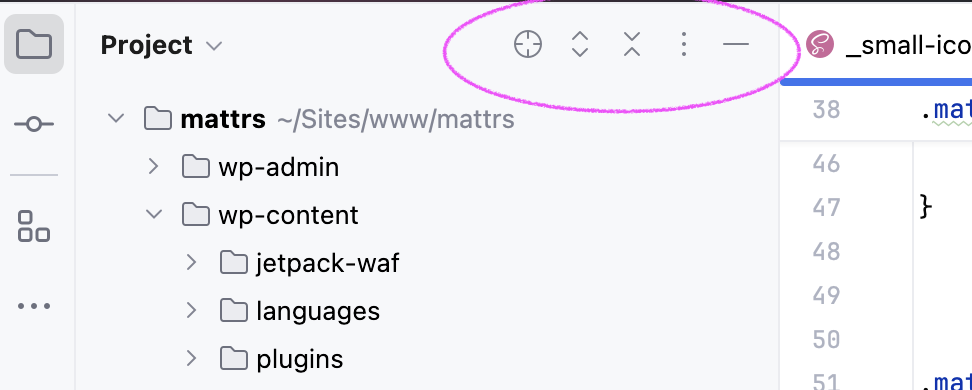
I've noticed that in the latest versions of PhpStorm, the menu that includes options like "Select Open File" and "Expand Selection" has been set to auto-hide when my focus drifts away from that panel. This change has been quite frustrating for me, especially since it used to be always visible in previous versions.
Not everyone memorizes where all the UI bits are located or enjoys playing a point-and-click game with their apps to uncover treasures like important buttons. I’d rather use visual clues to navigate around the app! 😄 Having to hover over all the windows in this complex app layout to find and access these options can really disrupt my workflow, leading to lost focus and time—just saying!
Is there a way to turn off the auto-hiding feature and keep this menu permanently visible? Any help or insights would be greatly appreciated!
Thank you!
请先登录再写评论。
Hello,
In Settings | Advanced settings | Tool windows > enable the Always show tool window header icons option. For details also see: https://blog.jetbrains.com/idea/2024/10/bridging-the-gap-between-the-classic-and-new-uis/#always-show-folding-arrows-and-tool-window-header-icons.
Found it! Many thanks!
again, why break this with the new UI? The default behavior of the new UI should be the same as the old one. Those who want change will have to find time and effort, not the rest of us!