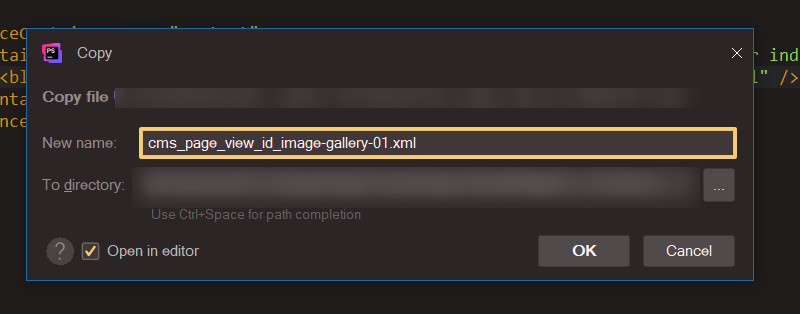
Selected text in program menu dialog
已回答

Selected text in program menu dialog not marked, not clear selected or not.
How to change the marker text background?
image-gallery-01 is selected with mouse now
Phpstorm version about the last, updated
请先登录再写评论。
Max Alekseyev the highlighted field is in fact an editor component, it uses colors from the Editor color scheme. Selection color can be changed via IDE Settings | Editor | Color Scheme | General, Editor, Selection background property.
Please note that changing it will affect all the editor components, such as the main code editor, terminal and run/debug console.
Yes, working well. Underscore ‘style’ irritate a little but not critical
You can change the color of the underline or remove it completely by customizing the corresponding properties in File | Settings | Editor | Color Scheme | General, Errors and Warnings. I believe the one in your screenshot is either Warning or Weak warning.
Yes, I know, thanks. I was so happy that it began to work that tested everything 😀
Weak warning underline removed, thanks! Not critical but irritate