What controls the color of ignored files in project tree? Custom Theme question
已回答

This One. This orangy one
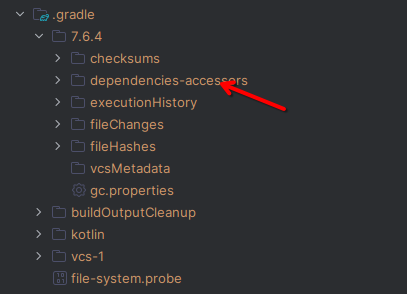
Which for some reason is gray in this other theme
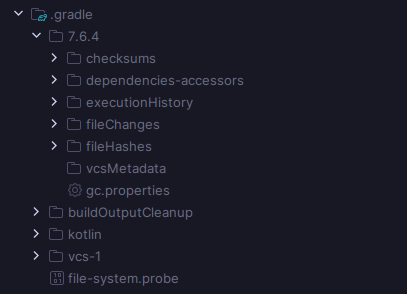
I'm trying to figure out how to change it because some themes have bad contrast when it comes to this part
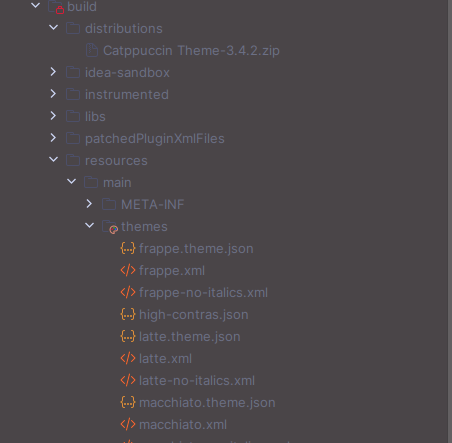
I tried changing all values in HighContrast.theme.json and darcula.theme.json to `#FF0000` but that particular color didn't change.
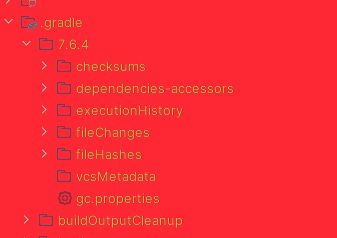
Compare these two versions of high contrast theme. The one on the right is from the link directly. The one on the left is after a mass update of every value following regex `#......` to `#FF0000`
请先登录再写评论。
Karimelsayad1999 the color in your screenshot is a VCS file color, those are currently not tied to the UI theme, but defined in the editor color scheme.
If you implement a custom theme and would like to change this or any other VCS color, you have to add an editor color scheme to your theme and set the “FILESTATUS_IDEA_FILESTATUS_IGNORED” color key to the desired value. See this documentation section for more details about adding custom editor schemes to the theme. Hope this helps.
Ekaterina Valeeva This resolved my problem. Thank you.