When using PyCharm with a remote Docker for development, the directory mount automatically gets prefixed with /c/, causing mount errors.

Environment:
pycharm professionals on Windows 10 + remote docker on Linux 22.04
reproduction:
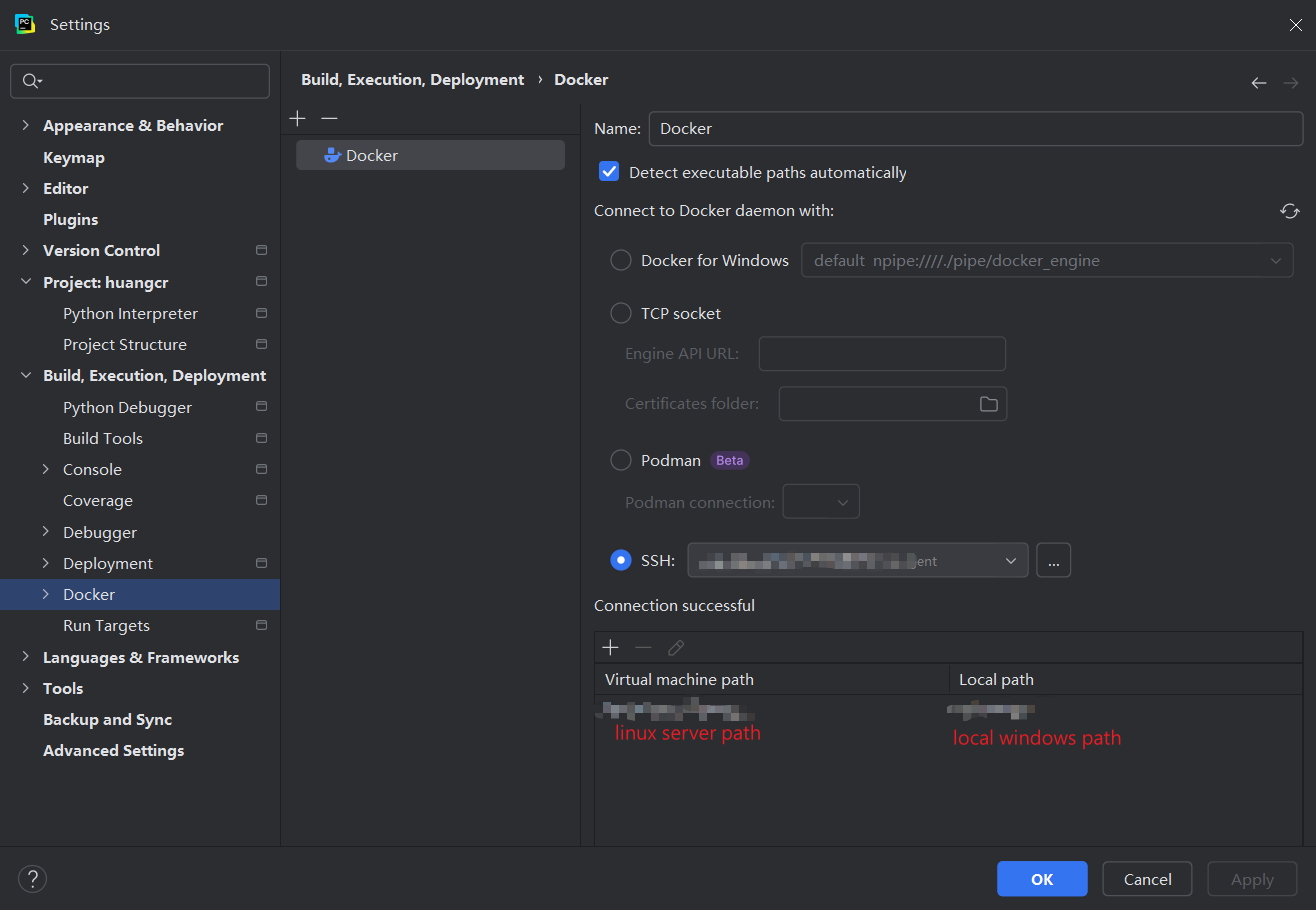
First, I have created a docker server as below(actually, I do not know what the virtual machine path means, I use the Linux server path) :
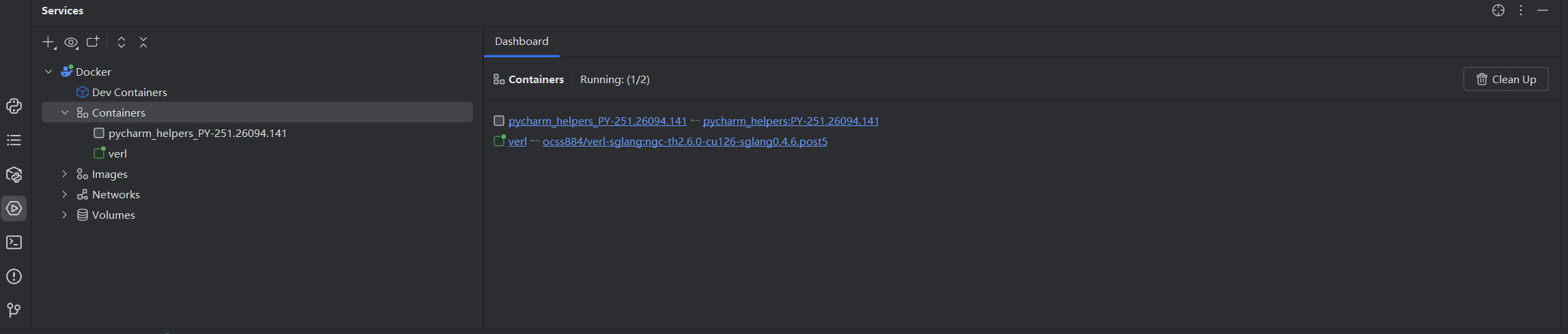
Then I can find that everything looks correct(verl is the container I created manually in the terminal):
Now I want to test the remote run/debug service of Pycharm, I created a new hello.py file and then created the remote docker interpreter:

Just click the next, I created the Python interpreter successfully:

Finally, I am trying to run the hello.py with the remote python interpreter in the container (or images):
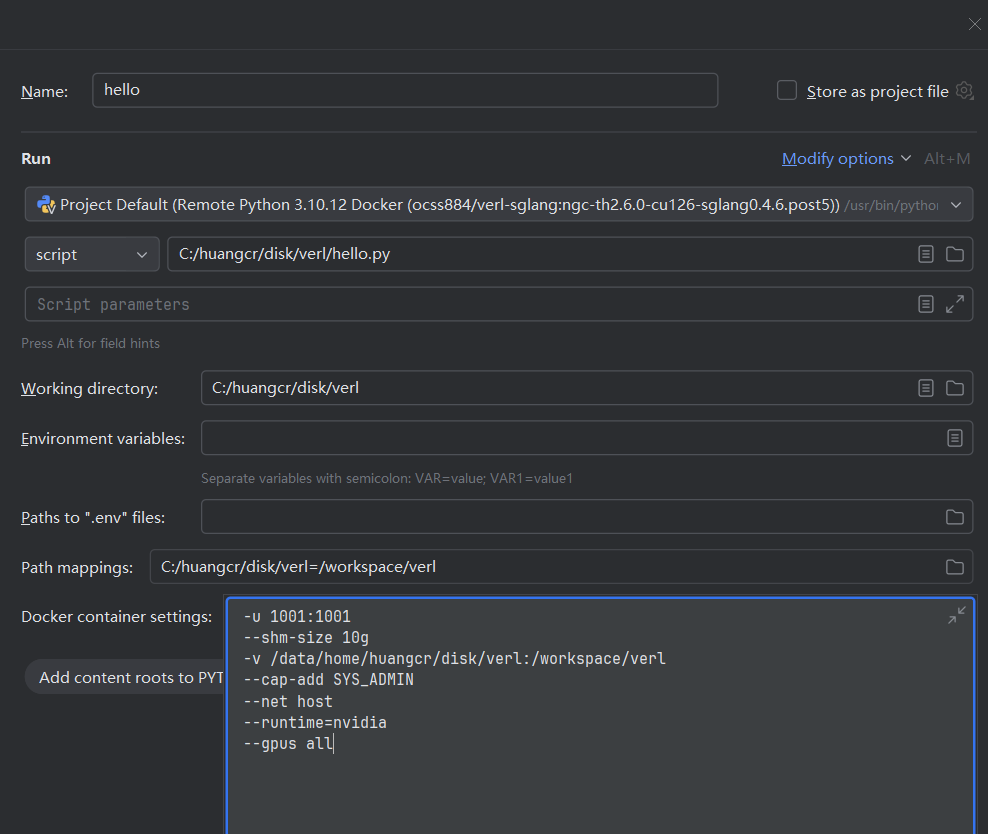
In this step, I use -v /data/home/huangcr/disk/verl:workspace/ver/ to mount the volumes. It looks right.
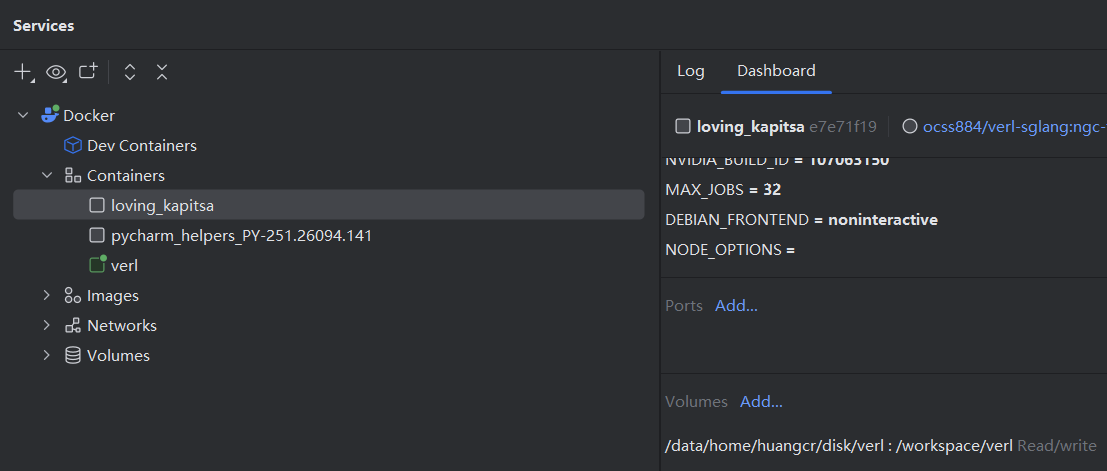
However, when I run it, I find that the blinding mount path is not right:
Pycharm automatically adds “/c/” at the beginning of the path!
(Look at the lower right corner. volumes tag)

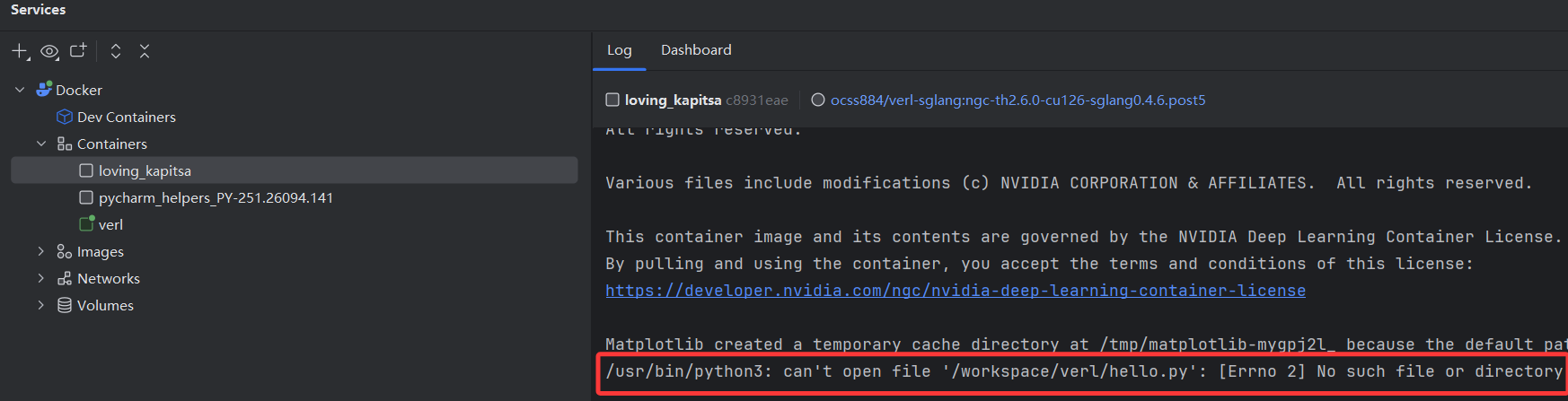
If I rewrite the volumes manually, it works correctly:
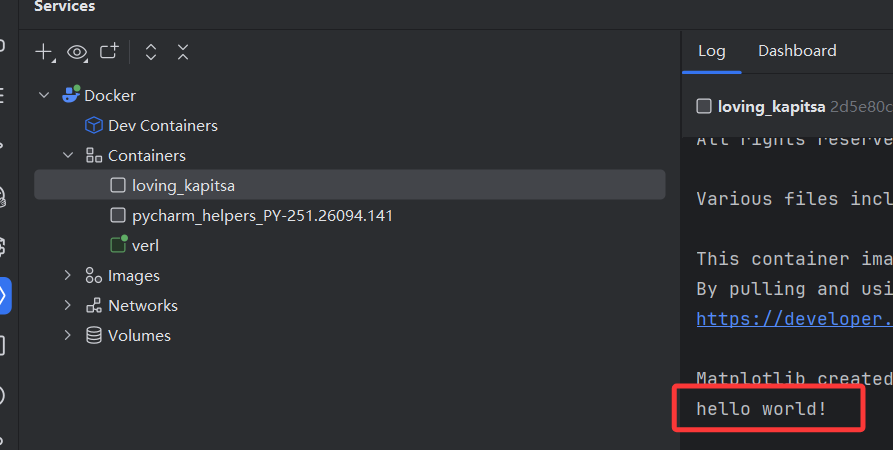
So, who can save me? That's so crazy.
请先登录再写评论。
Hi 2391322984,
Native support for remote Docker is not yet implemented in PyCharm. You can follow the progress and share your feedback on the related feature request here: PY-33489.
If you're new to YouTrack, this guide can help you get started with voting and commenting on issues.