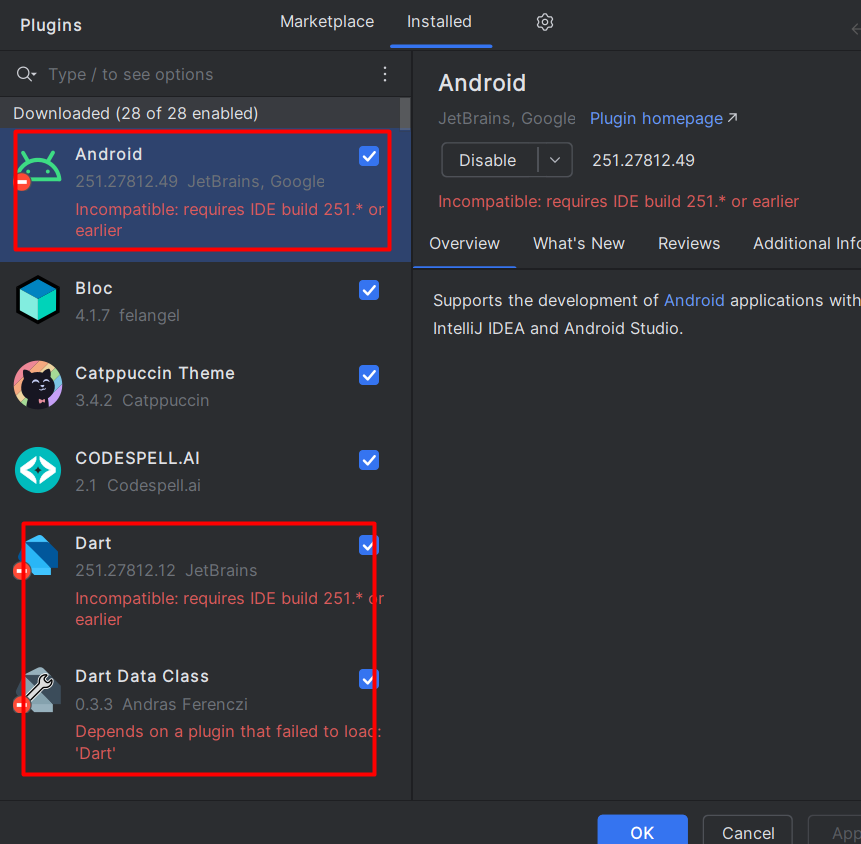
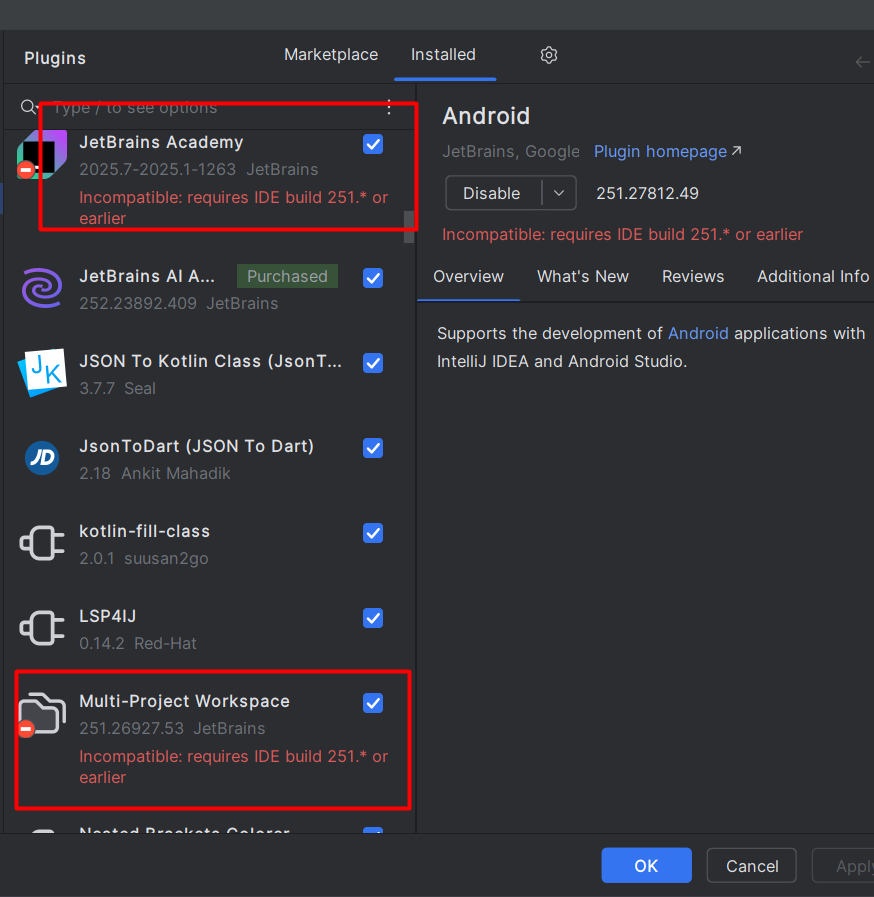
IntelliJ IDEA 2025.2 (Ultimate Edition) is not supporting all flutter related plugins like dart, android, flutter etc
已回答

IntelliJ IDEA 2025.2 (Ultimate Edition)
Build #IU-252.23892.409, built on August 1, 2025
Source revision: 0a9a69b3f9332
Licensed to ……………………………….
Subscription is active until April 27, 2026.
******* IntelliJ IDEA 2025.2 (Ultimate Edition) is not supporting all flutter related plugins like dart, android, flutter etc

请先登录再写评论。
It appears that IntelliJ IDEA 2025.2 Ultimate currently does not officially support Flutter‑related plugins like Flutter, Dart, and Android plugins via the JetBrains Marketplace. This is a compatibility problem tied to the new 2025.2 release cycle, not a bug in your configuration.
🔍 What's going on?
until-build) that exclude newer versions such as 2025.2. Even though they may work fine, IntelliJ blocks installation because the plugin metadata marks them as incompatible (GitHub, JetBrains Platform).until-buildconstraint. It worked—but at their own risk because APIs may have changed (GitHub).✅ What you can do
Option A: Install manually by editing plugin ZIP
.zip, go insideMETA-INF/plugin.xmland remove theuntil-buildattribute or bump it to include 2025.2.⚠️ Warning: This may not work with all functionality. Behaviors might break due to changed internal APIs.
Option B: Downgrade IntelliJ to 2025.1 (or lower)
Option C: Switch to Android Studio or IntelliJ IDEA Community 2025.2
🛠 Tips to get back up and running
flutter config --android-sdk-dir=..., etc.)—they must all be accessible (Reddit).flutter doctor -vto ensure no old installations are referenced accidentally (especially on Windows) (Reddit).⚙️ Summary
Issue Component
Status
IntelliJ 2025.2 plugin metadata
Flutter/Dart plugin marked incompatible
Plugin verification
Previously blocked ZIPs; now mostly fixed, but some errors linger
Manual hack workaround
Viable, but with risk of instability
Recommended stable path
Use IntelliJ 2025.1 or Android Studio
Future resolution
Await plugin metadata or vendor updates
Infromation: https://scriptbaldeball.com/