Enable default soft wrap for ALL code consoles

I checked other threads but this setting:
https://intellij-support.jetbrains.com/hc/en-us/community/posts/206721235-soft-wraps-on-by-default?input_string=Enable%20default%20soft%20wrap%20for%20ALL%20code%20consoles
doesn't exist anymore in Virtual Spaces.
I want my code to be soft wrapped, depending on the size of the console window, by default. I have to change it every time I open a new console (double shift, type wrap, click Soft-Wrap).
Using “Soft-wrap these files” is not a good setting since I don't save most of my consoles as specific files that I could enable via this setting.
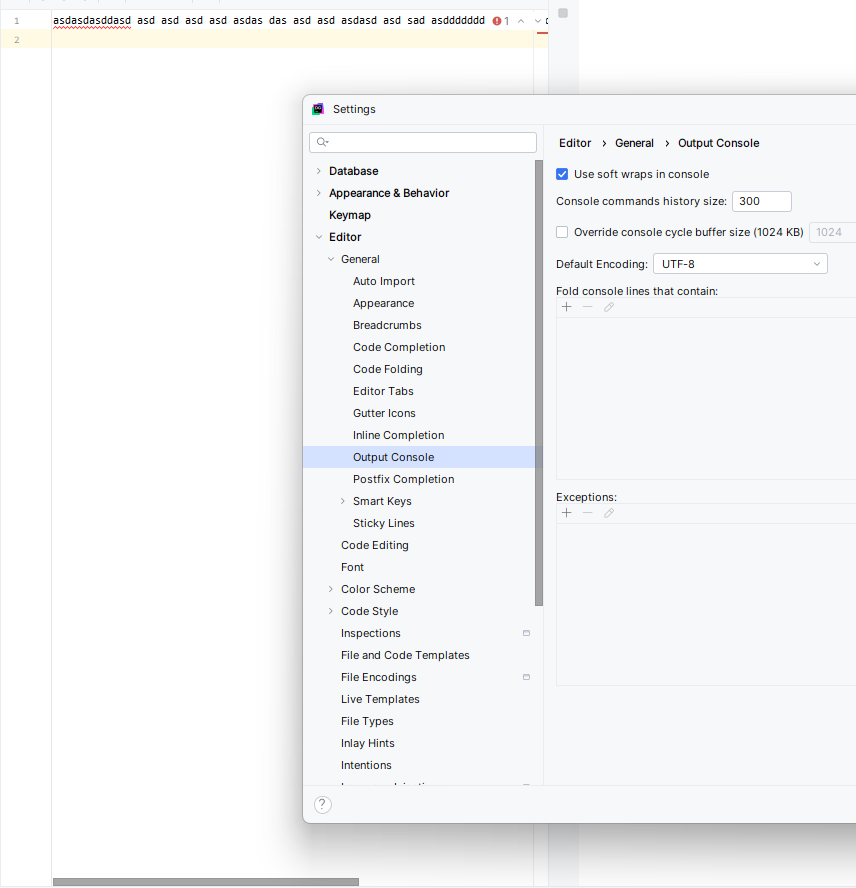
I selected “Use soft wraps in console” in Editor → General → Output Console but when I change the size of the window, nothing happens:
请先登录再写评论。
I couldn't reproduce it. What is your current IDE version?
2025.2.3
The option you're looking for can be found in File | Settings | Editor | General
Please make sure you have added *.sql extension under Soft Wraps