Is there some way to define a color under Color Scheme for undefined symbols
已回答


These two lines (in TypeScript) look the similar. The bottom is a typo. The color scheme is the same and gives no visual indicator that "SearcRequest" is undefined (missing the ‘h’). However, the IDE knows that it is undefined, as when you hover over it (as opposed to “SearchRequest” in the above screenshot), and you do not get the popup info.
If I try to look up the setting with Shift-Shift> Jump to Colors and fonts, it gives:
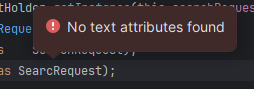
It appears to be using the Default Text.
Under Editor > Color Scheme > General, there's an option for Unknown Symbol, but SearcRequest is not being identified as an unknown symbol, for some reason. Is there some way to fix that?
请先登录再写评论。
Usually the unresolved symbols are highlighted as either the error or warning (Change inspection severity | WebStorm Documentation). It looks like the errors are not highlighted in your code for the certain reason. What languages and technologies do you use in your app? Is it just TypeScript, or any other languages and frameworks are involved? Is the Typescript language service enabled in Settings | Languages & Frameworks | TypeScript?
I'm using Typescript (and JavaScript), Groovy, Java, SQL, HTML, Spring Boot, Hibernate and a bunch of other things.
However, I pulled up a different project that uses a newer version of node, npm, angular, and typescript. I had done that before posting, but just now realized that the Settings > Languages and Frameworks > Node.js > Node Interpreter was pointing to a different node.js, not the one for the project (we use a gradle plugin to pull the correct version for the project). After correcting that, that project is working as expected.
Basically, this appears to be a problem with the very old angular project (that should be upgraded) and a minor misconfiguration with a newer project that led me to think the same problem was happening in new and old alike. (On a whim, I tried pointing the old project at the node embedded in the newer, working project. That did not work. We need to upgrade.)
My apologies, and thank you for your reply.
Thanks for the update!