IntelliJ IDEA keeps on prompting for accessing data from other apps
已回答

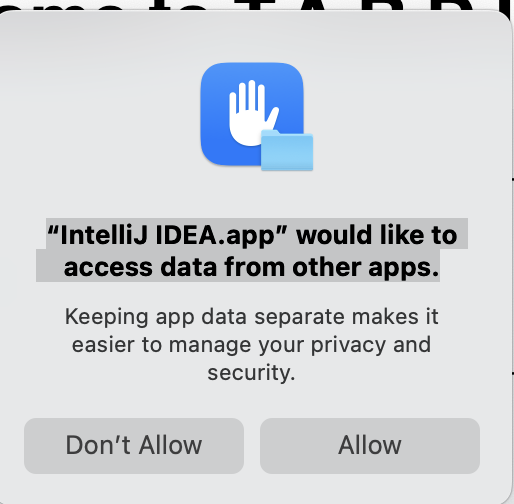
Lately on startup, IntelliJ IDEA prompts me to provide access to data from other apps. I find this very annoying. Everytime I have to click on Don't allow. What is this behavior? How to completely avoid this prompt.
请先登录再写评论。
Starting from macOS Sonoma, the system shows this message whenever an app tries to access data from other apps (like scanning system folders or app containers). IntelliJ sometimes triggers it on startup.
Here’s how to stop it:
Go to System Settings → Privacy & Security → Full Disk Access, then add IntelliJ IDEA.
This usually stops the prompt completely.
Some plugins or tools may trigger this access request — turn off any you don’t need.
Why would I want IntelliJ IDEA to scan everything?
Hello Bobtreacy
This is primarily a macOS privacy and security feature, not something uniquely introduced by IntelliJ IDEA. The prompt appears when an app, or a process launched by that app, tries to access protected locations or data from other apps.
In IntelliJ IDEA, that access can come from the IDE itself, a plugin, the built-in Terminal, or another tool started from the IDE, which is why the message may appear during startup in some cases.
The main difference from previous macOS versions is that the underlying privacy model already existed earlier, but newer releases, such as Sonoma, make this type of access more visible and present it with broader wording.
For more details and updates, please follow IJPL-2274 and upvote so that we can see the real number of affected users.
Monica, that is all fine. But I would like to know WHY it needs to access that data? Since we are already giving it access to its own folders, and our projects?
A much more fine-grained approach here would be better, so we can know exactly what it's trying to access and why. Instead of asking for permission for “everything”, maybe it's better to ask for only what you need.
Would love to hear back from you.
Hi Oskar Selberg
The explanation in IJPL-2274 mentions that there can be cases when this behavior is unexpected, and that we should treat such cases as bugs. So if you are sure you are NOT using any IDE functionality that can or should access these files, please collect some diagnostic data and submit a new report as described here so that we can analyze your case. Thanks!