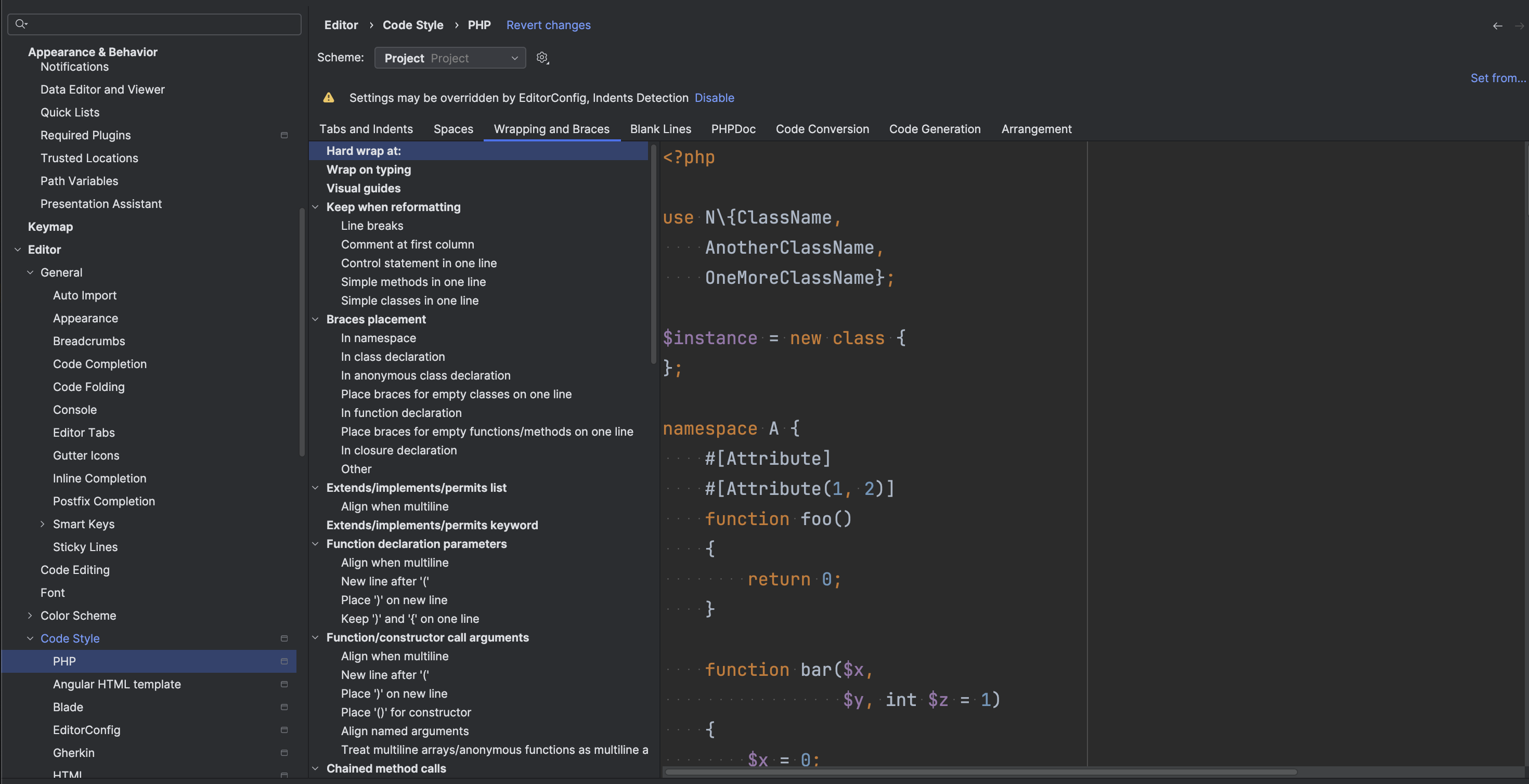
Which version of PhpStorm are you using? Do you have any 3rd-party plugins enabled, like Material Theme UI? Also, does the IDE behave the same in Settings | Editor | Code Style | JavaScript > Wrappings and Braces?
Version 2025.2.5; MacOS. Default install. No plugins. I did reset to default settings: which seems to solve the ‘display’ issue but reformating code still wraps around 120 … https://share.cleanshot.com/QDDghb1C
I don't see the point of setting it to HTML file since it's a PHP file … but anyway, I set it to 999 … Code reformats php files still hard wraps at 120 …
Could you please upload the file in question and your package.json (if any) to https://uploads.services.jetbrains.com/ and let me know the upload ID. We will try to reproduce it. Thanks!

Hi Cem Koker,
Which version of PhpStorm are you using? Do you have any 3rd-party plugins enabled, like Material Theme UI? Also, does the IDE behave the same in Settings | Editor | Code Style | JavaScript > Wrappings and Braces?
Hi Anastasiia,
Version 2025.2.5; MacOS. Default install. No plugins.
I did reset to default settings: which seems to solve the ‘display’ issue but reformating code still wraps around 120 …
https://share.cleanshot.com/QDDghb1C
Why such basic functionality is broken ?
Have you already adjusted hard wrap in Settings | Editor | Code Style | HTML?
I don't see the point of setting it to HTML file since it's a PHP file … but anyway, I set it to 999 … Code reformats php files still hard wraps at 120 …
This feature never really worked.
Could you please upload the file in question and your package.json (if any) to https://uploads.services.jetbrains.com/ and let me know the upload ID. We will try to reproduce it. Thanks!
Sorry for the delay.
Upload id: 2025_12_03_pf6hKnPH3zB438wT4rfbi1 (file: index.blade.php)
It always splits lines like these:
<a href="{{ $game->external_links['steam'] ?? '#' }}" class="btn btn-success w-100" target="_blank">
Thanks! Still not reproducible for me. Would it be reproducible in a new empty project? Also, is there an EditorConfig file in your project?
Just in case, which Hard wrap value is set in `Settings | Editor | Code Style`?