How to add the Open File option in the main toolbar itself?

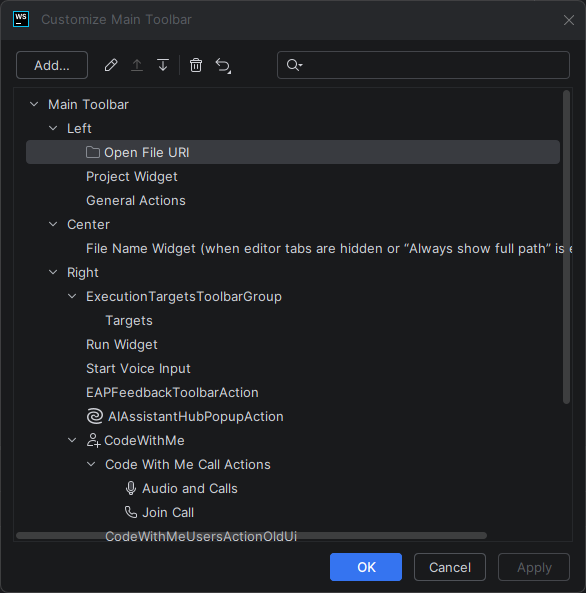
How to add the Open File option in the main toolbar itself? I am unable to drag it out of the Left level to be at the same level of it. The Move Up option is also disabled. I don't want the option to be showing inside the Project widget dropdown.
请先登录再写评论。
Hi Abdu Bukres ,
I think it's a wrong action to use – it is for something else.
Try adding “Main Menu | File | File Open Actions | Open…” action instead
That one works fine (unless you want something different)
Thanks