Goland UI on MacOS

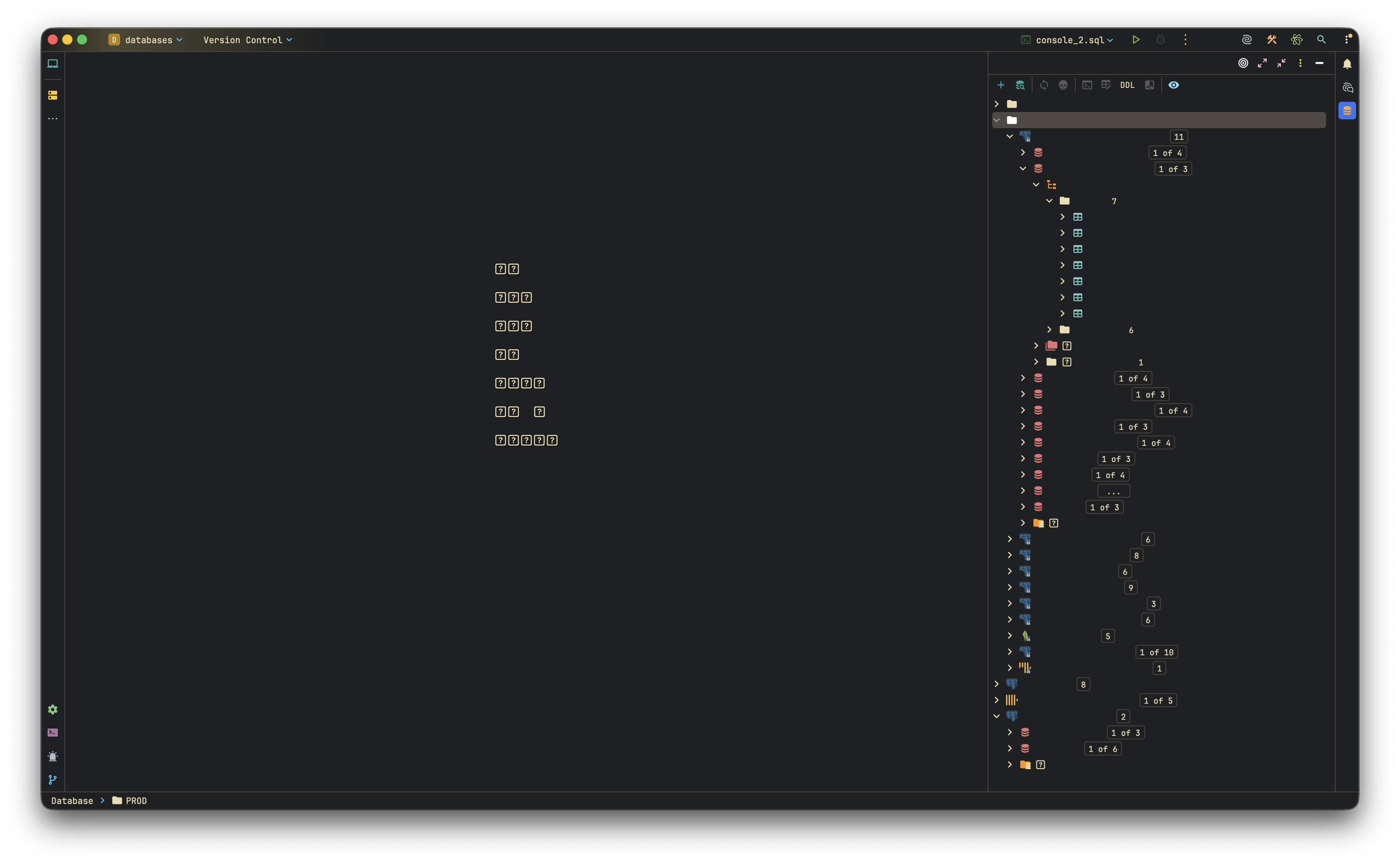
When app is open long enough, on macOS this is happening. After restart all works again.
Build #GO-261.22158.291, built on March 26, 2026
Runtime version: 25.0.2+10-b329.72 aarch64 (JCEF 137.0.17-261-b65)
VM: OpenJDK 64-Bit Server VM by JetBrains s.r.o.
请先登录再写评论。
Oh wow! This doesn't look right. Can you please check if disabling all the custom plugins fixes this issue? I can see you're using some custom theme, so this might be the culprit here. If this doesn't help, please try reproducing the issue and once it comes up, please generate and share IDE logs (Help | Collect Logs and Diagnostic Data) with our team to investigate this. You can safely upload them here https://uploads.jetbrains.com/, just make sure to share the upload ID once done.
Thank you!
Thank you very much for your response.
I had installed a gruvbox theme. I switched to Goland's builtin theme. If issue persists, I will write back again.
Thank you!
Vadym Veprytskyi Hello. This issue again happened to me with default theme of GoLand at datasources menu.
I blurred name of data sources for privacy purpose in the screenshot that I provided above. You can see here tabs above Connection are completely gone, but all are clickable.
Also Settings menu is completely gone:
Build info:
Upload id: 2026_05_18_J2YWDit55nxGah9S6fJ6Mn (file: goland-logs-20260518-1736412954428204376526975.zip)
Thanks for the follow-up details and logs.
Looking at the most recent log bundle, the Atom Material plugin (`com.mallowigi`) is still active, along with the Gruvbox theme plugin. Switching the active theme to the bundled default does not disable these plugins, and Atom Material in particular extends the icon and UI rendering path. Before we can be sure the symptom is not tied to a custom plugin, we would like to rule that out first.
Could you run one more diagnostic round on a clean baseline:
1) Open Settings | Plugins.
2) Disable all non-bundled plugins. Atom Material (`com.mallowigi`) is the most likely suspect; the Gruvbox theme plugin should also be disabled, along with anything else outside the bundled set.
3) Restart GoLand and use it normally for a comparable session length.
Then please let us know whether the UI elements still go invisible after extended uptime.
While you are at it, it is worth updating to the current stable build, GoLand 2026.1.2, via Help | Check for Updates. You are one patch behind right now.
If the symptom still appears with all non-bundled plugins disabled and on 2026.1.2, please share fresh logs from that clean session (Help | Collect Logs and Diagnostic Data, uploaded the same way as before).
Happy to continue once you have had a chance to retest.
This looks like a UI/JCEF issue that develops over time. Since a restart fixes it, I'd check memory usage, disable unnecessary plugins, and review the IDE logs (
idea.log) when the problem occurs. A screenshot or log snippet would help narrow down the cause.This looks like a JetBrains IDE issue. Since a restart fixes it, it may be a memory/JCEF/cache problem after long uptime. Try updating the IDE, invalidating caches, checking plugins, and increasing IDE memory. If reporting it, include macOS version, device model, IDE name, and what exactly breaks.