Welcome to PhpStorm window turns black on macOS after opening a remote project

Hi,
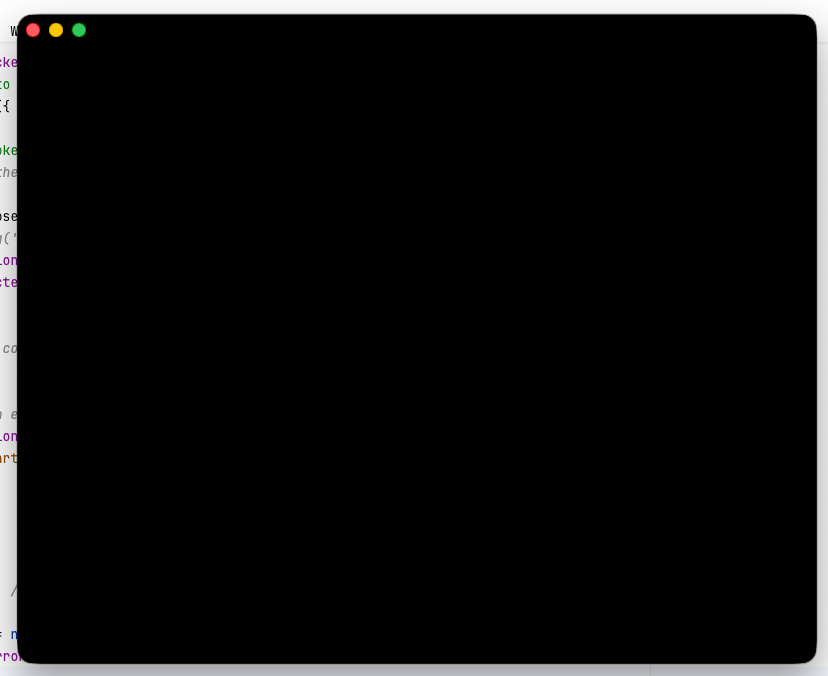
when I start PhpStorm, and open a remote ssh project (RemDev/split mode) through the “Welcome to PhpStorm” window, the projects opens as expected, but than the window “Welcome to PhpStorm” turns black.
The window itself is still working and i can open another project if i click around on the black window, so it is just a rending bug I guess.
I do not open the project in full screen or something like this and the main PhpStrom IDE is not affected at all, just the little “Welcome to PhpStorm” window.
1. Start local PhpStorm, and select a remote SSH project
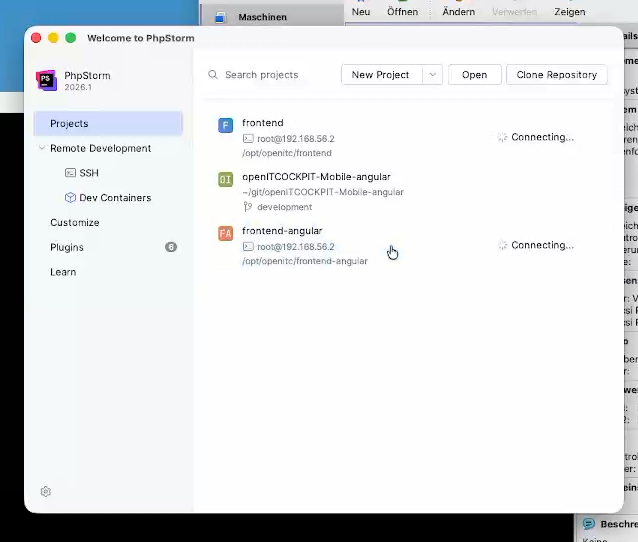
2. Projects opens up, all good. Than return to the “Welcome to PhpStorm Window”, which is now black
PhpStorm 2026.1.1 (both ends, macOS and Linux VM)
MacOS Tahoe 26.4.1
请先登录再写评论。
Hello, D Ziegler. Thank you for the report.
Unfortunately, I can't reproduce the problem you described on my side; is it possible for you to collect (
Help | Collect Logs and Diagnostic Data) and share logs from your local IDE, and specify the estimated time when you encountered the issue? I'd like to check if there are any related exceptions or errors in the logs.To share the logs archive, you can use our JetBrains Uploads service and write me the ID you receive there.
Hi Olga Mulina thanks for coming back to me.
I have uploaded the logs and also a short video which demos the issue.
Time of Event: 10:41:06
Upload id: 2026_05_11_26yw7eKebwN5KZua2r5qT3 (files: 2026-05-11 10-40-43.mp4, phpstorm-logs-20260511-1041238166269567943172772.zip)
I did some digging and I think it is caused by a utility called DockDoor, a Dock preview tool like Windows Taskbar has. When I use CMD+Tab to switch back to the local PhpStrom, the window stays intact.
When I use my Dock, and DockDoor generates a Preview, the window turns black. My wild guess is, that DockDoor is messing around with the window size or something like this.
Due to this is not a PhpStorm issue, I leave it up to you if you want to investigate into this :)
D Ziegler, thank you for the update; I'm glad you found the reason for the problem!
Unfortunately, there is indeed nothing relevant in the IDE logs, so there is nothing we can do on our side to prevent this behavior.
Please let me know if you have any further questions or requests.