Autocomplete options from current file missing from autocomplete popup
已回答

I have two .sql files using exactly the same dialect. But one shows names from the existing file in the autocomplete popup. And the other (newer) one doesn't. I restarted intellij and now neither file shows items in the popup. Note that pressing Alt+Slash does autocomplete successfully. It's just that they don't show up in the popup most of the times.
How can I get words from the current file/project to show up in the autocomplete popup?
请先登录再写评论。
What names are not shown? Please provide the screenshots and the example files. What SQL dialect do you use? What SQL Resolution scopes do you have configured for the files?
I have no SQL Resolution scope defined. And I'm using generic sql dialect.
After a little more testing, it seems I get autocomplete for words in the popup if the word is in my SELECT statement followed by AS. So billing will show in the popup if I write the following query:
SELECT billing AS billing FROM table
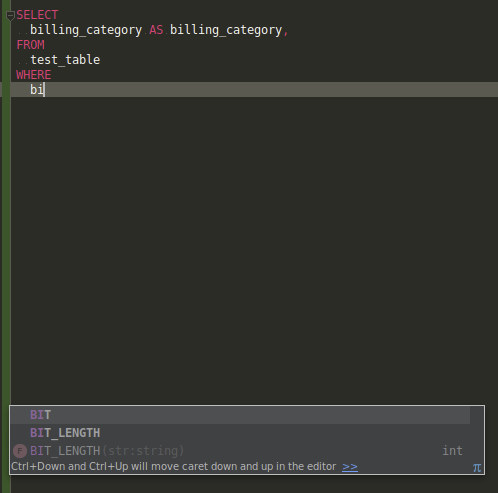
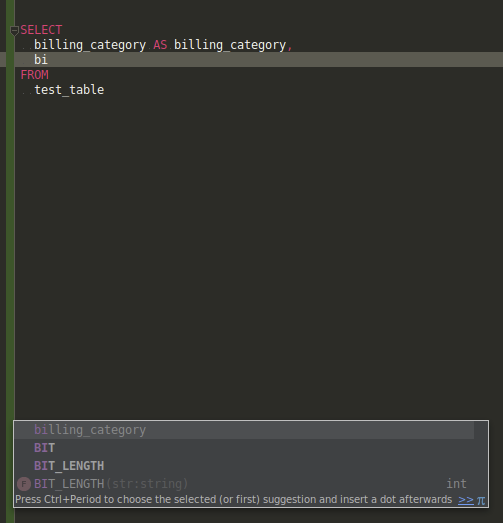
BUT billing will only appear in the popup in later SELECT statements. Meaning, it won't be presented if later I try to add "WHERE billing" to the query. I've attached screenshots of this occurring.
How do I just make autocomplete suggestions show in the popup for ALL words from the existing script? They've clearly been indexed because they appear when I press Alt+Slash to autocomplete.