Built-in terminal sessions lose part of $PATH variable

Hello everyone.
I’m having a weird issue with the built-in terminal on OSX. When I load up a terminal, the output says:
npm WARN npm npm does not support Node.js v9.4.0
npm WARN npm You should probably upgrade to a newer version of node as we
npm WARN npm can't make any promises that npm will work with this version.
npm WARN npm Supported releases of Node.js are the latest release of 4, 6, 7, 8.
npm WARN npm You can find the latest version at https://nodejs.org/
nvm is not compatible with the npm config "prefix" option: currently set to "/usr/local"
Run `npm config delete prefix` or `nvm use --delete-prefix v9.4.0 --silent` to unset it.
and neither node or npm are available in that terminal. If I run either of the two suggested commands (or if I simply run nvm use 9) I get them back, but only for that terminal session.
Both the default terminal and iTerm (v3.1.5) doesn’t have the same issue.
It looks like it’s a path issue though. With the default terminal, echo $PATH outputs /Users/goffreder/.nvm/versions/node/v9.4.0/bin:/usr/local/bin:/usr/bin:/bin:/usr/sbin:/sbin after executing all .bash_profile script, but in the built-in terminal it outputs /usr/local/bin:/usr/bin:/bin:/usr/sbin:/sbin.
This is my current configuration:
phpstorm 2017-3-4 Build #PS-173.4548.32
JRE v1.8.0_152-release-1024-b11 x86_64
node v9.4.0 (npm v5.7.1)
nvm 0.33.8
OSX 10.13.3
Thanks in advance.
请先登录再写评论。
what shell is configured in Preferences | Tools | Terminal? What do the settings look like? Please attach a screenshot
This is a screenshot of the terminal output: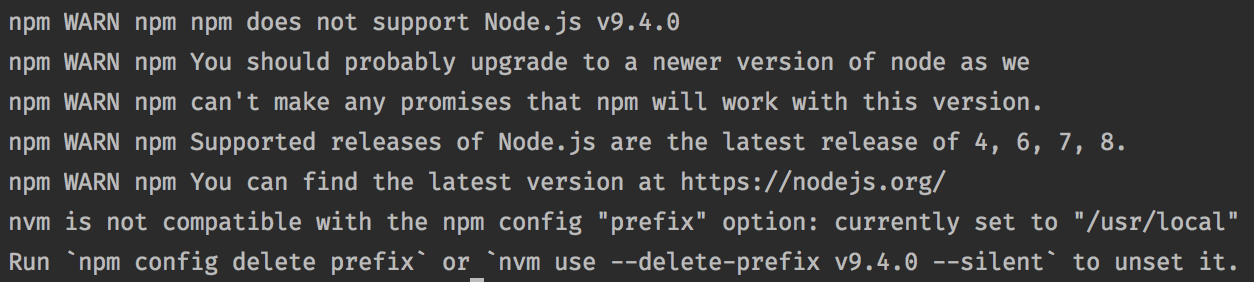
And this is what terminal settings are set:
will it serve .bash_profile if you add
--loginto shell path in Preferences | Tools | Terminal?
Yes, but the output is the same. Bear in mind that .bash_profile was served even without `--login`, it just loses part of the $PATH.
This is my .bash_profile content:
Here's a comment I got from a developer on a similar issue.
So, it's not only a PhpStorm problem, it pretty much affects everything running by a GUI launcher.
Workarounds:
1. Start the IDE via Terminal, e.g.
open -a /Applications/PhpStorm.app2. Use /etc/launchd.conf (discussion on Stackoverflow)