Text not visible so cannot complete setup.
已回答

Am try to install Clion 2018.1.5 on openSuse leap 15, I cannot see that text in the GUI as shown in the in the following picture
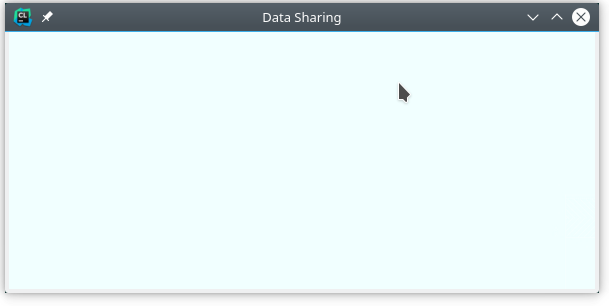
The system details are capture in the following:
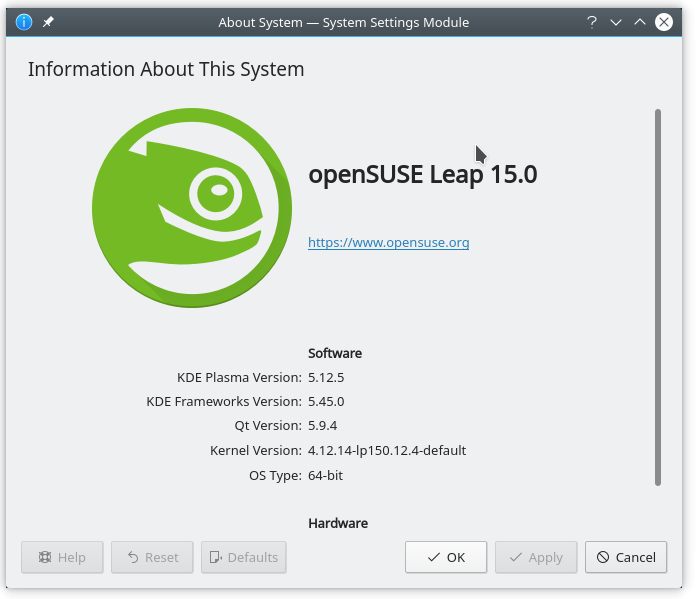
Any ideas?
请先登录再写评论。
Hello! Probably it's related to some Linux issue specific to drawing the dialogs, like https://youtrack.jetbrains.com/issue/IDEA-110048. Please try disabling 3D acceleration as a workaround. Does it help?
If it doesn't help, please try to run CLion on Oracle Java 8 (you can use the latest version of Java 8, but not Java 9 or 10). See https://intellij-support.jetbrains.com/hc/articles/206544879 for the instructions. You need to switch from the bundled JetBrains Runtime to Oracle Java 8.
It would be also helpful to know if you can run other Java Swing applications on this system without this problem. Please check if JEdit or NetBeans work for you.
I have tried disabling the 3D Acceleration, which doesn't help.
Have installed openjdk8 and have the same problem.
Tried using netbeans, and have the same problem.
Looks like your system can't handle Java Swing apps. I'm afraid there is not much we can do from our side.
You can try:
AWT_TOOLKIT=MToolkit; export AWT_TOOLKIT in the Terminal and then start clion.sh.
Ans please follow https://youtrack.jetbrains.com/issue/IDEA-110048 to get updates.
I'll try with a different desktop, if that fails I'll go back to my earlier version of opensuse it clion work fine there.
Will keep you posted.
Rolled back to openSUSE Leap 42.3, Clion is working.
Thanks.
Thanks for letting us know!