Is there a way to add color to Project view Files in GoLand (Jetbrains) ?

I am new to Goland and I see that new files show up in RED color in the "Project Explorer" of Goland. However, the folders seems to still be default colors, so unless I open the folder, there is no way for me to know where new files by just looking at the Project view.
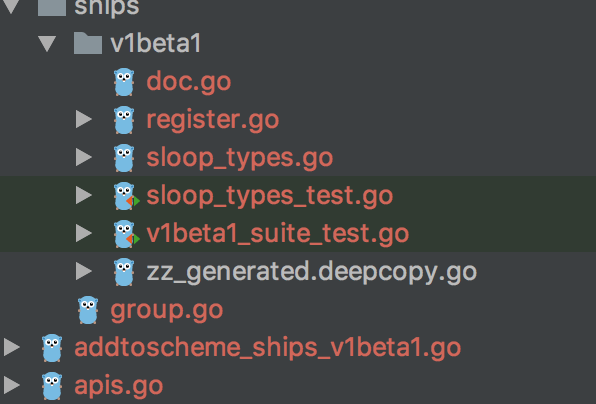
From the screenshot below, I have a number of new files under "ships" and "v1beta1" which are marked in Red but the folder containing them is plain gray which is similar to other folder without any edited/added files.
Is there a way to customize the colors of Folders in the Project View?
请先登录再写评论。
Hi,
Files colors represent theirs state in version control. Red means they are unrevisioned: neither ignored nor added to vcs. Add them to the version control or to ignore file to get rid of red color.