Main menus do not sync with menus invoked from Actions

I'm Using IntelliJ IDEA Ultimate.
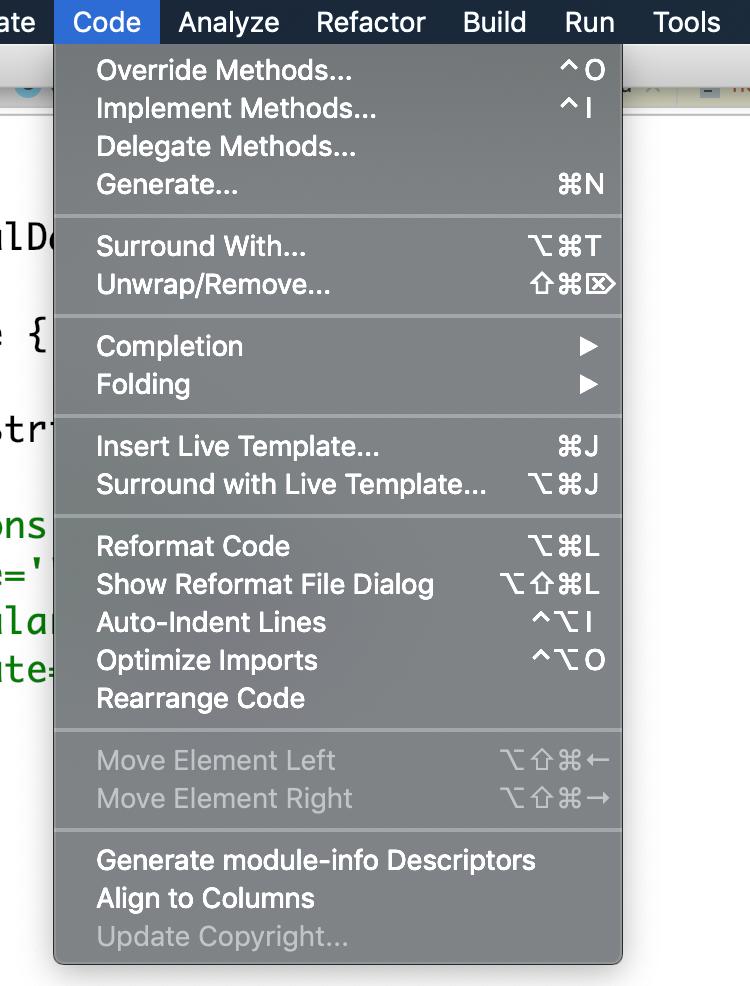
I've made some adjustment to remove some actions on menus in the Preferences | Appearance & Behavior | Menus and Toolbars. I've successfully removed some actions on the main menus, but they were no synched with menus invoked from Actions. for example, In Preferences | Appearance & Behavior | Menus and Toolbars I removed the Action "Comment with Line Comment " and "Comment with Block comment " from the "Code" main menu, but here is the problem: when I invoke "Code" from Actions the results are not synced with "Code" from the main menu.
To summarise: The menus invoked from Actions do not sync with the main menus.
"Code" main menu:
menus invoked from Actions:
results:
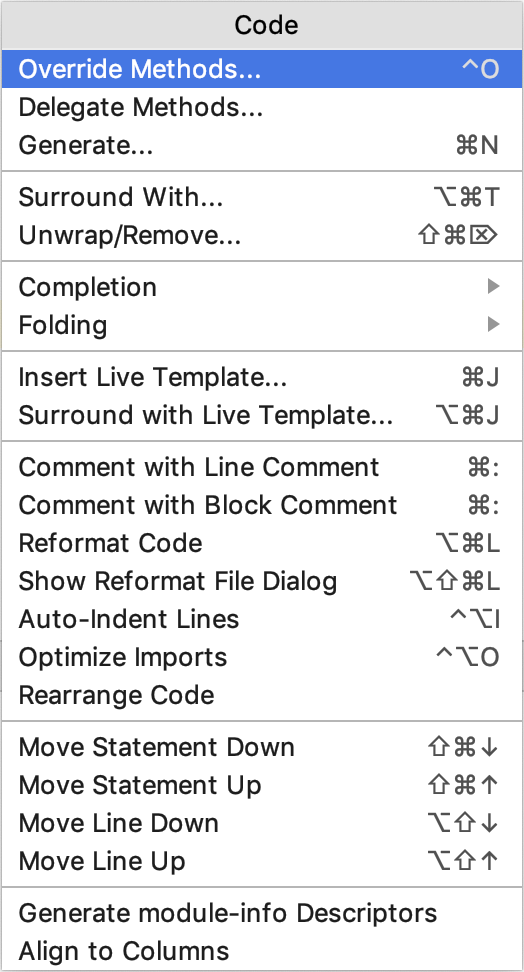
See? They are not synced. I want to sync both of them. How can I do that?
请先登录再写评论。
What's the content of Help | About window?
Hi! Thanks for responding. What do you mean by Help | About window? It does not exist in IntelliJ IDEA 2018.3.5 (Ultimate Edition).
Liubov was asking about IDE/JDK versions that are displayed in the IDE About dialog, on macOS it's available under the main app icon | About.
Anyway, the issue is reproducible in the latest version, I've reported it at: https://youtrack.jetbrains.com/issue/IDEA-209709.
Sure! Here you go:
IntelliJ IDEA 2018.3.5 (Ultimate Edition)
Build #IU-183.5912.21, built on February 26, 2019
Licensed to hamza belmellouki
Subscription is active until October 13, 2019
For educational use only.
JRE: 1.8.0_152-release-1343-b28 x86_64
JVM: OpenJDK 64-Bit Server VM by JetBrains s.r.o
macOS 10.14.3