Look... just put a button in settings to disable inspection pop-ups

It's nice that the editor colors unused variables in gray... but not that it pops up a notification over the text below telling me it's unused (at least not that quickly, or let me hit a button to show the pop-up, like Cmd or Ctrl or something like that) blocking the text or a mouse click. This is just some random variable in a class function that I haven't used yet (because I'm in the middle of coding and pop-ups keep blocking things):
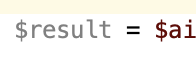
If I disable the inspection, it prevents the pop-up but also doesn't color the variable anymore, removing ALL indication that it's unused or that you should notice it for some reason...

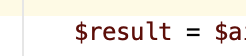
Why?! Why can't the pop-up be better controlled for the user instead of all-or-nothing?! I like the color coding or underlining or whatever, not the obnoxious pop-up that quickly or automatically!
请先登录再写评论。
Basically, there is already a similar request submitted:
https://youtrack.jetbrains.com/issue/IDEA-114803
Please try the workaround from comments:
- Start "Registry" action from Search Anywhere (double-shift)
- Check "ide.disable.editor.tooltips" checkbox.
Tooltips from inspections should go away. Just tested it on PhpStorm 2019.1 and it is working like a charm.