Colors from updated debug middleware do not appear to be supported in WebStorm console

I recently updated the "debug" middleware package in my node.js project. One of the features of the update is that it now supports 256 colors rather than 16. Sounds great, but in WebStorm's console, things are worse than before because a lot of the colors just don't seem to work.
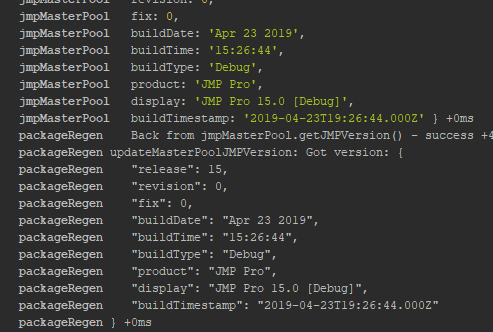
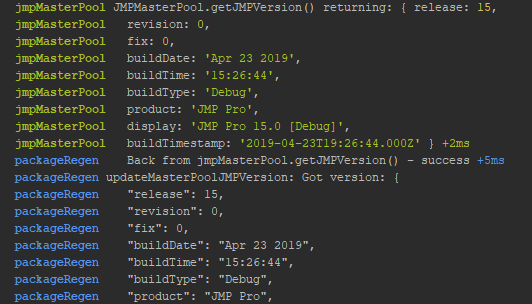
In that screenshot, packageRegen and jmpMasterPool should be colored differently. Here is what it looked like before I upgraded:
And here is what it looks like *with* the upgrade running in the cmder shell:
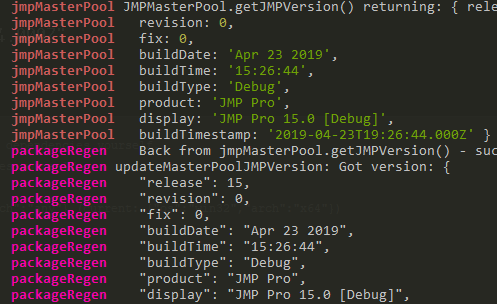
I did notice that if I run it in the standard Windows Command Prompt shell, it has the same issue as WebStorm.
Should I just backlevel debug and live with 16 colors?
My WebStorm version is 2018.1.5. We should really update, I know.
请先登录再写评论。
What package are you using - https://github.com/visionmedia/debug?
in 2018.1.5, WebStorm Node console is non-Tty, as node process is started with input/output streams redirection; when using this version, output from debug middleware package is as follows:
2019.1 has an option to embed terminal in Node.js console, so it's now a Tty, and color rendering is better - same as in terminal:
Yes, it's the visionmedia debug module.