Packages: Unused package issue even though the packages are installed
已回答

Hai Team,
I installed numpy package and trying to use the package. It is displaying as unused import statement.

Project Interpreter:
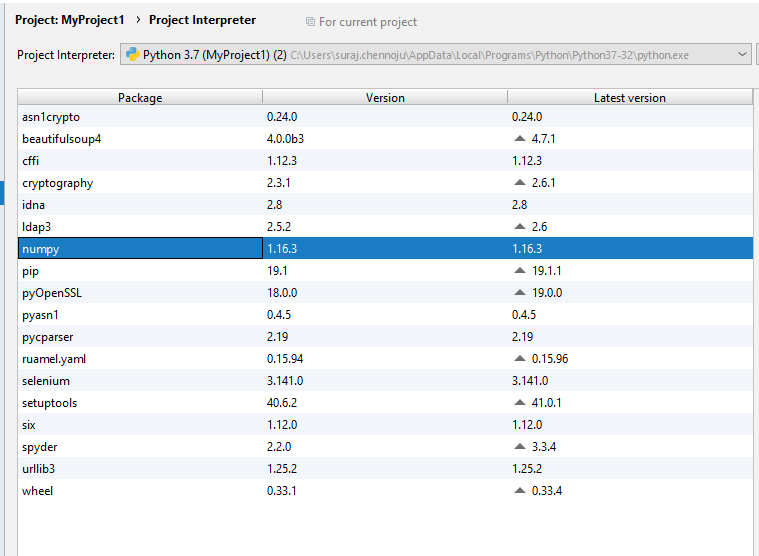
Could you please help me how to resolve this.
NOTE:This is not only with numpy, it is reflecting in same way to all packages.
My main concern is:
After downloading the pycharm what are the default settings i need to check.
Please send this info.
Regards
Suraj Chennoju
INDIA
请先登录再写评论。
Hi, you have a namespace collision - rename your numpy.py file as it blocks imports from the package.
Also: