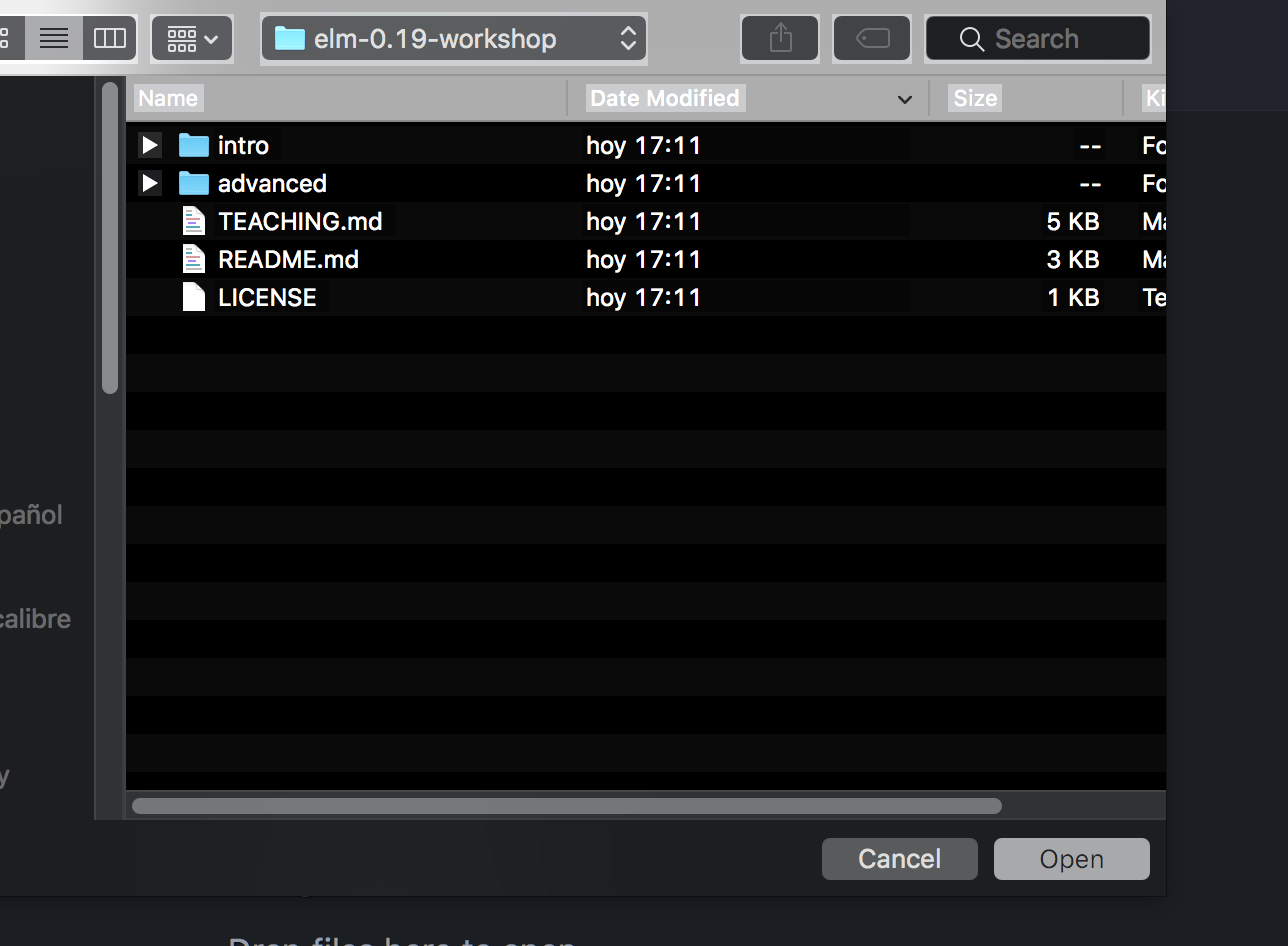
file chooser dialog box suddenly appears in reversed colors (MacOS 10.13.6)
已回答

I opened WebStorm to make a new project, and the file dialog box is now in reversed black and white (see image). I tested out some other programs on my Mac and their dialog boxes seem normal -- that is, this would seem to be a WebStorm only phenomenon The only thing I did since the last time I used WebStorm was to install elm, elm-test and elm-format to my Mac just now -- the first using an installer, the second using npm. Any idea what might be going on? It's disconcerting.
请先登录再写评论。
Could you check if the problem persists when running IDE with default settings?
1. Disable settings synchronisation (if enabled) and quit IDE
2. Remove "~/Library/Preferences/<IDE_NAME><VERSION>" and "~/Library/Application Support/<IDE_NAME><VERSION>" directories (or temporarily move them aside to restore your settings afterwards)
Also, if you use Toolbox: under IDE runnable path, remove "<IDE_NAME><VERSION>.app.plugins" directory.
3. Start IDE (do not import settings) and check if the problem appears