Logic in navigating modals, and tabs.
已回答

So when I hit cmd+option+f on a variable to make it into a field a modal appears.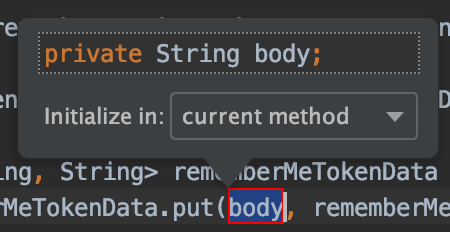
Now how should I switch to the `Initialize in:` block? When I hold down option key the capital `I` gets an underline, which should indicate, that pressin `i` or `I` will allow me to move focus to that select box. But of corse when I hold down option and hit `i` this happens: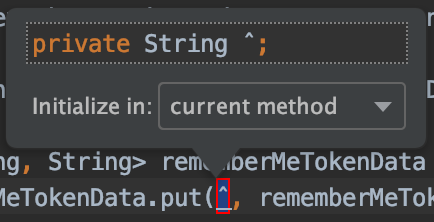
Now second question.
When I'm in Debug tool window. There are multiple tabs like `Debugger` and `Console` how to switch between them when I'm in one?
And generally. What's the logic that intellij team uses when they think about navigating with keyboard across all the tool windows etc?
请先登录再写评论。
1. Try using Ctrl+Option.
2. According to your Keyamp:
Not sure about the last question, please clarify.
Thank you for your answer but, your suggested solution work only with the sub tabs, not the ones that I listed. In the below image, `Select Next Tab` works on `Beans`, `Health` and `Mappings`. But how do I switch to the `Console` and `Debugger` tabs?
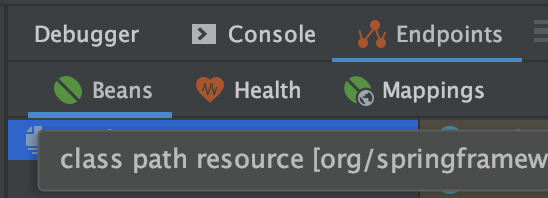
My last question is that is there some logic/general principal that was used when intellij team constructed the keymaps?
Years ago I was using Eclipse, they had most of the frequently used functionalities under your left arm - like `Run`, `Run in Debug` etc. Maybe intellij team also had some philosophy when constructing their keymap.
Since I'm pair programming often I can't change my keymap to what ever I want, so it would be easier for me if I knew the mental model that was used by intellij team to construct the default keymaps.
Keyboard navigation for the debugger tool window will be available in 2019.3, see https://youtrack.jetbrains.com/issue/IDEA-167805 for details.
https://confluence.jetbrains.com/display/IDEADEV/IDEA+2019.3+latest+builds .
Thanks for info. :)