Incorrect Run Configuration File Type (Jest/Node)

Problem: Running/Debugging a file intended to be a Jest spec file instead runs as a Node file
Setup
I have a jest spec file "Company.spec.js". It uses a shared file which exports a function to run shared specs.
The file ONLY executes this shared spec function.
Spec File:

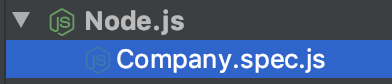
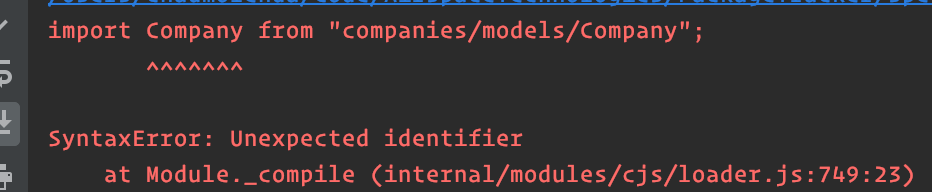
When I try to run the file, it generates a Run Configuration under the Node configuration types and is unable to run the spec (node uses CommonJS imports, which explains the error below)
Run Configuration (auto generated):
Run Error:
Workaround
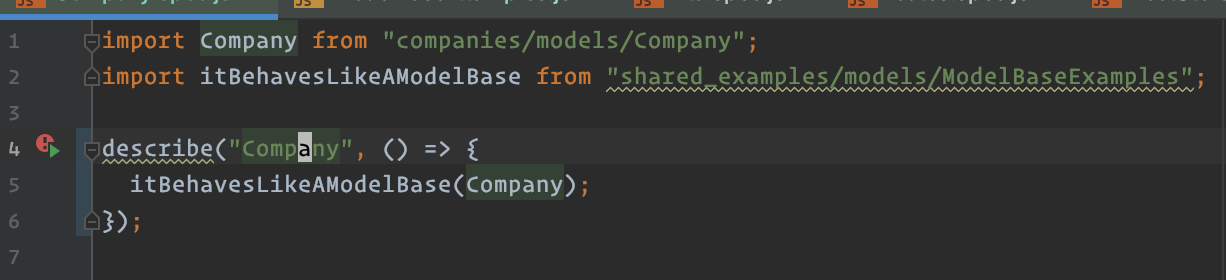
I can get RubyMine to run this file as a Jest spec if I wrap the use of the shared example function in a describe block.
Spec:
Run Configuration (auto generated):
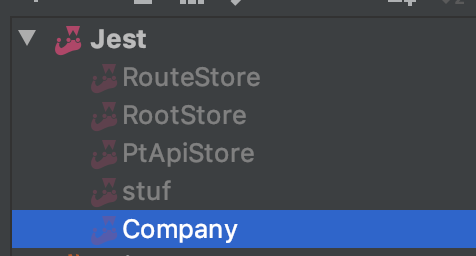
I also tried deleting the auto generated NodeJS configuration and creating a manual Jest configuration, but when running it would ignore the Jest configuration and recreate the auto generated NodeJS configuration.
请先登录再写评论。
Basically, WebStorm is statically analyzing the source code looking for known code patterns when detecting the test files. If a file is interpreted as test file, it's normally shown with special icon and added to Tests scope.
Not all code constructions are treated correctly - for example, file won't be recognized as a test file if tests/suites are wrapped in functions (https://youtrack.jetbrains.com/issue/WEB-35970) or their names are generated dynamically (https://youtrack.jetbrains.com/issue/WEB-35869, https://youtrack.jetbrains.com/issue/WEB-20442), etc.
Obviously, a file with a single custom function call doesn't match any known patterns, so the file is not recognized as a test file, and the only run configuration available in this file context is Node.js configuration