AirBNB style and Intellij chainned Promise indentation

Hey,
I have this issue:
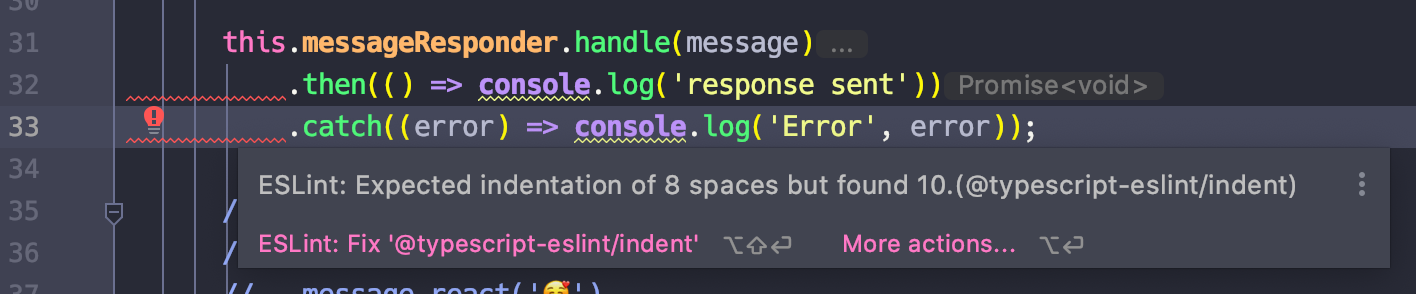
Tried to solve it in many ways, but the "Reformat Code" option always add double indent and I end up with 10 spaces, and not 8.
Is there a way to fix it ?
请先登录再写评论。
Please import code style preferences from ESLint (https://www.jetbrains.com/help/webstorm/2020.1/eslint.html#ws_js_linters_eslint_import_code_style_from_eslint) and then try a workaround from https://youtrack.jetbrains.com/issue/WEB-34655#focus=streamItem-27-3055459.0-0: in Settings | Editor | Code Style | TypeScript, choose Set From -> JavaScript - does it help?
That doesn't fix the issue, unfortunately. If I use the option Fix ESLint Problems it does fix the problem, but when I use the option "reformat code", it removes what "Fix ESLint" fixed.
--
Solution:
What actually fix the issue for me was to create a new shortcut for the FIX ESlint Problems