How do I get the selected text in the terminal view in my plugin?
已回答

How do I get the selected text in the terminal view in my plugin?
I tried to write an action to get, but the action wouldn't work.
请先登录再写评论。
com.intellij.terminal.JBTerminalWidget#SELECTED_TEXT_DATA_KEY
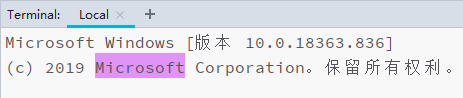
Yes, I also found this key, but I can't make my action work. Because:
What should I do? Thank you very much!
Simple code:
class GetTextInTerminalAction : AnAction(), DumbAware {

    override fun update(e: AnActionEvent) {
        // e.presentation.isEnabledAndVisible = !e.getSelectedTextFromTerminal().isNullOrBlank()
    }

    override fun actionPerformed(e: AnActionEvent) {
        // Can't execute here
        println(e.getSelectedTextFromTerminal())
    }

    companion object {
        fun AnActionEvent.getSelectedTextFromTerminal(): String? = getData(JBTerminalWidget.SELECTED_TEXT_DATA_KEY)
    }
}
Currently the only way would be to override com.intellij.terminal.JBTerminalWidget#getActions and provide your additional actions from there.
Thank you very much!
Hİ;
Could you show any example?
Hi, muslu.
This is currently not possible unless the terminal plugin provides some expansion points.
Hi Yii;
Thank you. If you find any solution then please tell me too.
I need too, is there a solution now?
Hi Yann Cebron ,
Do you have an example for overriding ‘com.intellij.terminal.JBTerminalWidget#getActions’ ? Is this basically replacing the default terminal thats used in IntelliJ ?
For my plugin, I need to display a popup when user right click over a highlighted text in the terminal (and being able to read what the user has highlighted, obviously).
Please see IJPL-164451 to have a convenient way to contribute action to the classic terminal.
Workaround: to add an action to `JBTerminalWidget`, please try this example: