Switch Highlightning on HTML and PHP

Hi there,
i test PHPStorm and its very nice! In the past i used PHPDesigner, which have a feature, that i miss on other IDEs and Editor Apps. Its a kind of "intelligent highlighning":
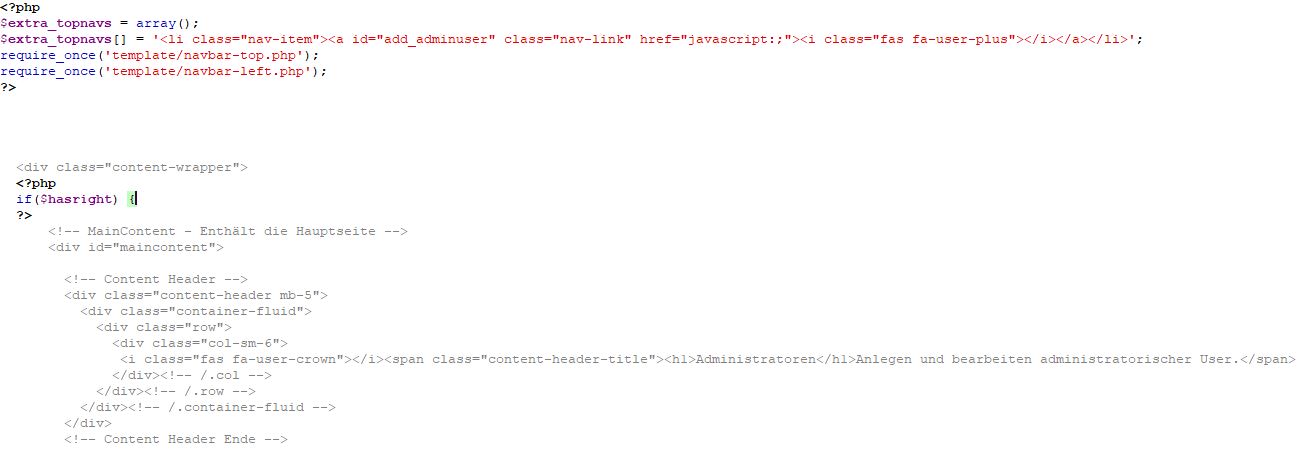
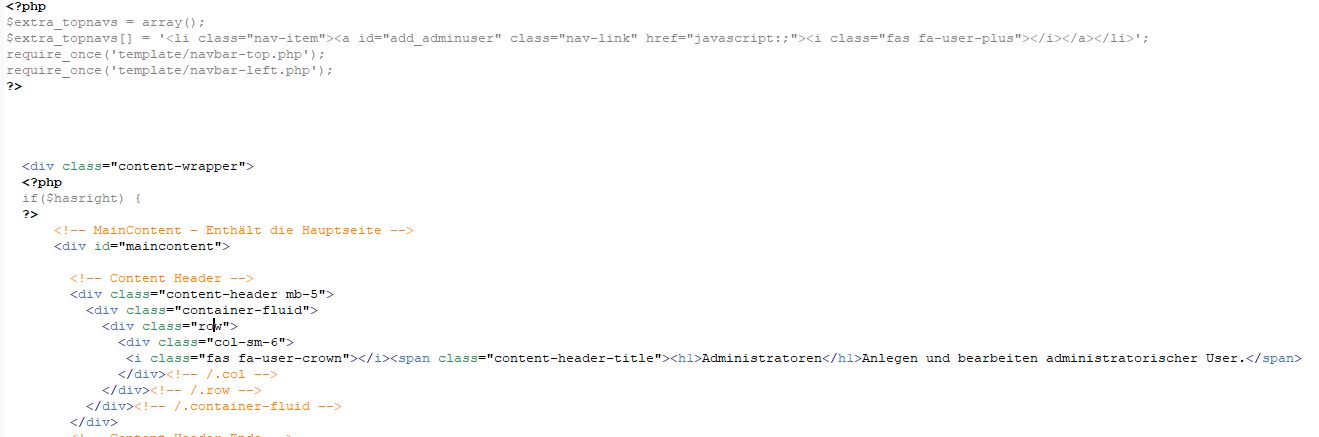
When i open a PHP file, that contains php code and html code, i can switch the highlightning. When i edit PHP Code in the file, the html section will be greyed out and when i edit a html part, the PHP section will be greyed out - So i can see on first look which parts of code contains php and which parts contains html.
Currently i use the dracula theme, which gives the HTML Section another background color, but its not the same. Its currently confusing yet.
Has PHPStorm such an option or exists a plugin that i can use?
I add 2 images where you can see how PHPDesigner handles it!
Thank you for any help and tips....
best regards and happy new year!
++++++++++++++++++++++++
editing PHP:
editing HTML:
请先登录再写评论。
Sounds like a nice feature but there is no such option in PhpStorm at the moment, sorry. The only workaround I see for now is to create two different color schemes with "decolorized" PHP and HTML code correspondingly and use "Ctrl+`" to quickly switch between schemes.
https://youtrack.jetbrains.com/issue/WI-29020, https://youtrack.jetbrains.com/issue/WI-12669 (see dev comments here)
Any way, check/watch these and related tickets:
P.S. You can give content inside the PHP tags different background to make them more visible. Sadly it will affect pure PHP code files as well.
Hmm i think it wont affect pure PHP code, because it switch only the highlighting, when i click in a html area of the code - but when there is no html in the code, it havent to switch highlighting...
The first link (https://youtrack.jetbrains.com/issue/WI-29020, https://youtrack.jetbrains.com/issue/WI-12669) goes to 404...
Thanks for all answers.
@Vasiliy Yur
Those were my thoughts too, but this is laborious - But it seems the only solution at this time...
Those are two links obviously, just editor have somehow merged them together...
You misunderstood what I was saying.
oh sorry - havent seen its merged ;-)
So i can see, i'm not the only one with this wish. I think its easy to implement, because phpstorm can differentiate between the code. In the dracula theme the html area has another background, then php. So it should be easy to add a little checkbox in layout options like "just highlight current syntax".
I think a little bit further: imagine you use jquery/javascript or you use a template engine. While i'am working in a twig template. While i editing twig variables, i can grey out html, so i see all twig variables at a glance! This helps alot and saves many time.
This feature was one of a bundle why i used PHPDesigner. But PHPDesigner is just for PHP 5. It shows errors when i use traits and so on, its to old for using today. I needed a new editor. PHPStorm is a dream for every developer and rich of features, very cool features. Its the swiss army knife for web developers.
OK i hope jetbrains will implement this feature ;-)
Thanks for your help!
best regards