IntelliJ does not display chinese correctly

I'm working with a chinese project from github https://github.com/fourbrother/kstools
But the problem is IntelliJ does not display chinese correctly and says "File was loaded in the wrong encoding:'UTF-8'". I reloaded in Windows-1252 but doesn't fix it, i'm sure encoder should be UTF-8 for chinese
The java files can be seen on kstools/src_code/kstools/src/cn/wjdiankong/
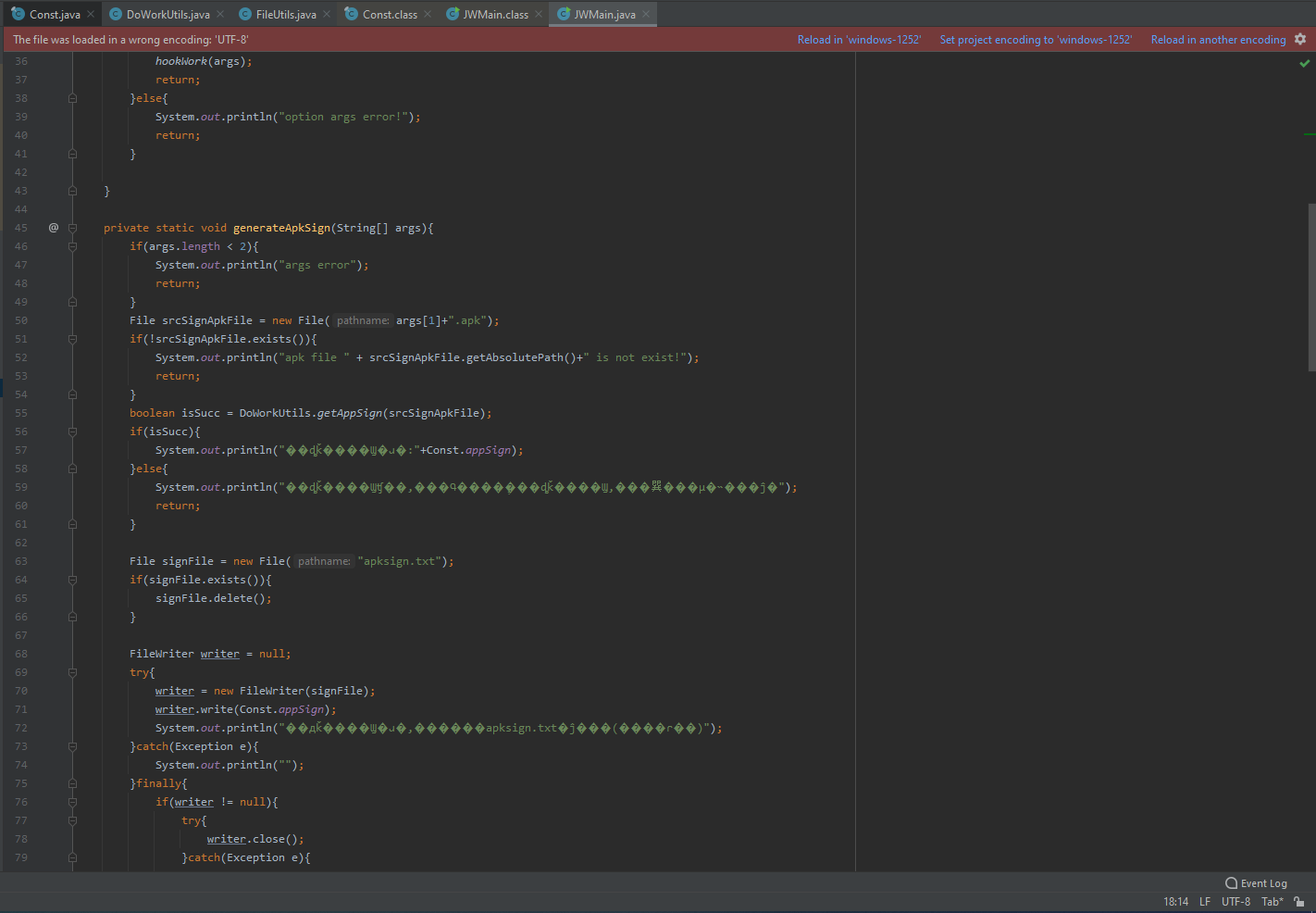
The strange thing is, when i open a .class file which was compiled, it can display chinese correctly. The class files can be seen on kstools/src_code/kstools/bin/cn/wjdiankong/. The encoding is UTF-8

So what excatly is the problem? why does it work on decompiled class file but not java file?
Notepad++ and other programs can display chinese correctly
My PC is running Windows 10 Pro 20H2. And IntelliJ version (see screenshot below)

PS: I'm not a chinese, I would use Google translation to understand it
请先登录再写评论。
Raw text of ".java" files is also corrupted: https://raw.githubusercontent.com/fourbrother/kstools/master/src_code/kstools/src/cn/wjdiankong/jw/JWMain.java
So, when downloading the file, all the symbols are not displayed (you can try to download .zip file of the repo and open it in any text editor).
As a workaround, you can copy and paste text from GitHub: https://i.imgur.com/Q2Na4g0.jpg
Oh didn't know.
I figured out the problem, the text was encoded as Chinese GB2312 which IntelliJ doesn't support.
I converted to UTF-8 via Encoding menu on Notepad++, and it works now on IntelliJ