Code Completion not working

I edit a lot of HTML in PHP files. Used to be that when I would write an opening DIV tag, the close-div would appear after I closed the starting div (">").
But now I'm not getting any code completion. This seems to have begun in the update before 2021.1.3
请先登录再写评论。
Does it happen in .html files, or in .php, etc.? Can you repeat the issue in a new project?
Is Insert closing tag on tag completion enabled in Settings | Editor | General | Smart Keys | HTML/CSS? Please share a screenshot of this page
I'm having this same issue. I'm running PhpStorm 2022.3 Build #PS-223.7571.212.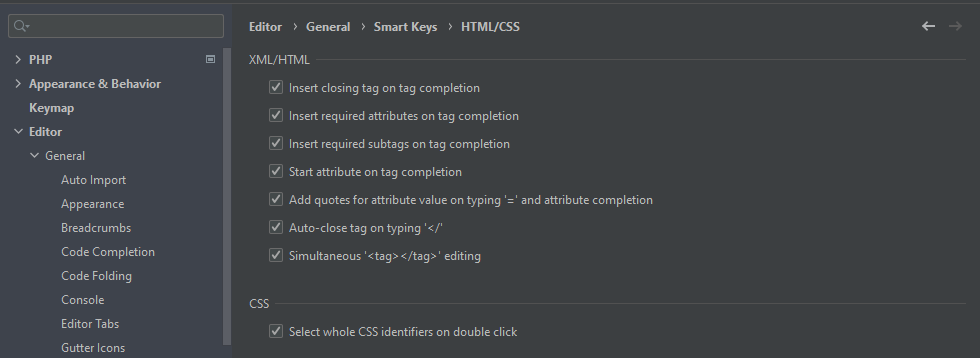
Dpham, does this also not work for you in an empty HTML file?
Yes, also doesn't work on empty HTML file in PhpStorm. I also have another instance of PhpStorm installed recently (the past week) on a laptop and it doesn't work there either. I've not changed any settings related to this in the new install.
I also have PyCharm and it works just fine.
I compared the settings between PhpStorm and PyCharm for Editor > General and Editor > General > Smart Keys and they are the same. Don't know why it works in one but not the other.
Just as a sanity check - is this right that when you create a new HTML file and type
<divin there, on typing>, the closing tag doesn't appear?If that is correct, could you please submit your logs (Help | Collect Logs and Diagnostic Data) in a support ticket (Help | Contact Support)?
That is correct. I've submitted a support ticket # 4539573