Markdown preview vanished in 2026.3
已回答

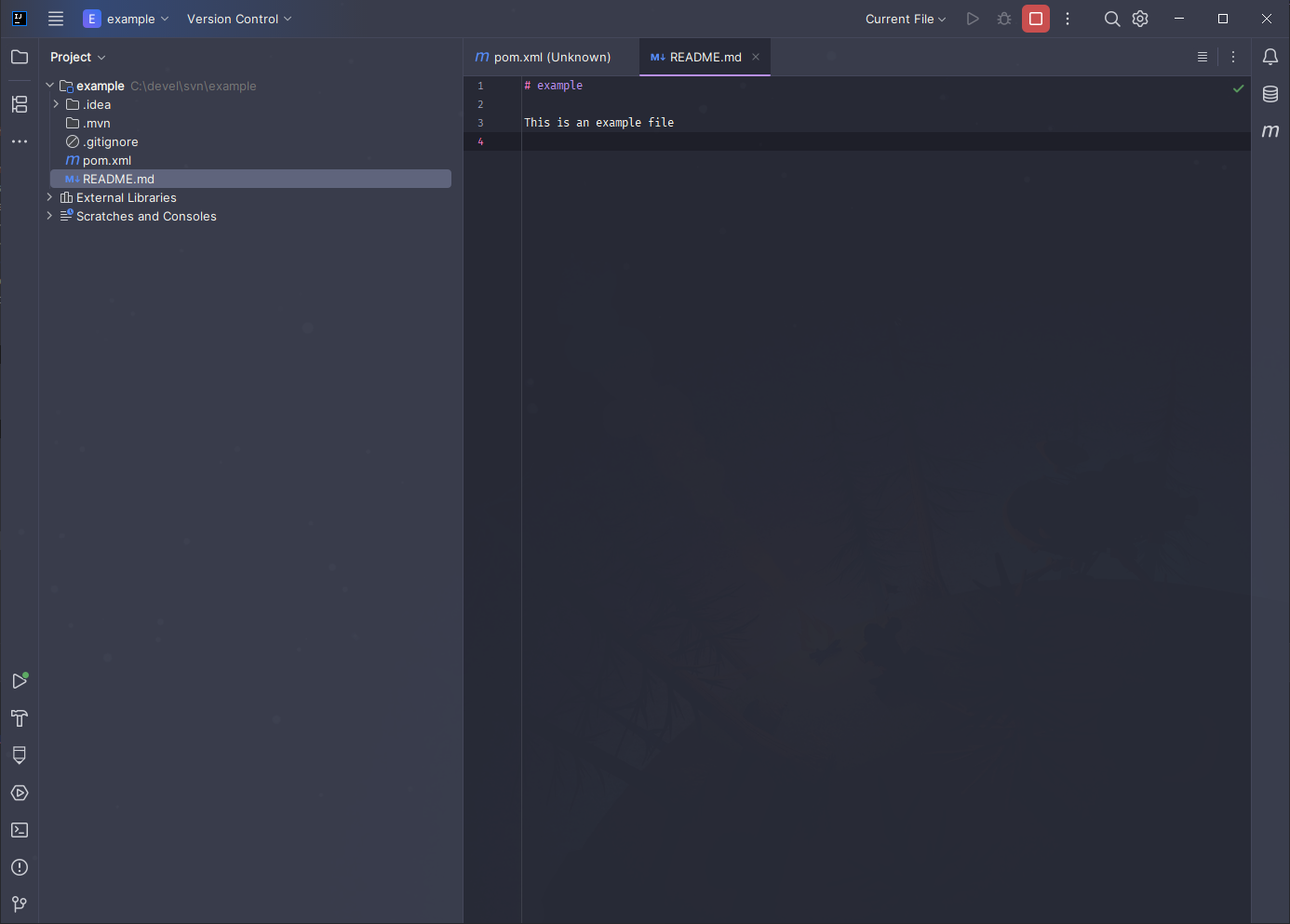
As you can see in this screenshot, the preview ability for Markdown vanished completely for me:
I have confirmed:
- This is indeed the Markdown editor and
.mdis associated with Markdown - Markdown is on the current version 263.7307.200
- It works if I downgrade to 2026.2.4 via Toolbox
- It works fine for a colleague of mine who is also on 2026.3/263.7307.200
- The buttons in the top right do not help: Hovering over the burger menu just says “Editor” and I cannot click it. The other menu only says “Recent Files”, “Close All Tabs” and all that good stuff.
I feel like I'm doing SOMETHING wrong, but I have no idea what it might be. Help?
请先登录再写评论。
The
≡button at the top right of the editor is the Editor only layout. It is already selected, so a click on it does nothing. In IntelliJ IDEA 2026.3, two more buttons show next to it: Editor and Preview and Preview. In your screenshot, these two buttons are missing.The file type is correct: the
≡button shows only in the Markdown editor. A plugin that changes the Markdown editor, or an error when the IDE shows the buttons, could hide them. Your colleague’s setup on the same build works, which fits both.To find out which one it is, please do these steps:
.mdfile in the IDE..mdfile again.Do the Editor and Preview and Preview buttons show after step 5? To turn the plugins back on, select Enable All Downloaded Plugins in the same menu.
Disabling all Plugins did not help, unfortunately. I have uploaded my logs under the id “2026_11_13_acMECxbZKcQJ4N5JiMZxu8”. Thanks for your help so far!