(BUG) Debugger console doesn't auto complete on macOS 12.3 and IntelliJ IDEA 2022.1

Hi guys,
macOS Monterey 12.3 (21E230)
IntelliJ IDEA 2022.1 (Ultimate Edition) Build #IU-221.5080.210, built on April 12, 2022
Starting debugging TS app, stops at the breakpoint.
If I start to type a code in the editor window near the breakpoint - it will successfully suggest to me autocomplete the code.
But!
If I will start typing the same in the Debugger Console - I have no suggestions!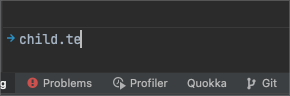
It seems like IntelliJ trying to suggest only part of the suggestions - some suggestions still exist.
Thanks a lot for support!
请先登录再写评论。
Try typing the exact substring (child.get, for example) - does it work?
It is strange behavior if you will follow the steps: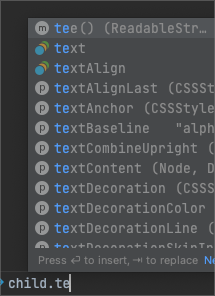
0. reload the tests (re-run)
1. type "child.te" - no suggestions in the Debugger console.
2. type "child.get" - a lot of suggestions.
3. type "child.te" - now i can see relevant suggestions:
BUT. If you reload the tests and again will try to type "child.te" - no suggestions again!
If you will follow 1-2-3 steps - suggestions for "child.te" will appear again.
could you check if a workaround from https://youtrack.jetbrains.com/issue/WEB-55207#focus=Comments-27-5937715.0-0 helps?
The workaround to increase `ide.completion.variant.limit` to 5000 works, BUT=)
It shows to me ALL possible variants including NOT relevant for this Type.
In the Editor - it shows to me only relevant variants and it works perfectly.
In the Debugger console with increased `ide.completion.variant.limit` it shows non relevant variants.
Current context of a variable is considered for completion, so completion in the debug console should show the same options as in the editor, if execution is stopped in the breakpoint near that variable ('child' in this case). Could you please provide a project for us to reproduce the issue?
In the editor:
At the same moment in the Debugger console:

Contexts are definitely different =|
I will try to reproduce the problem in a public project...
Right now it is happening in the TS project with Angular NG update schematics and AST parsing inside...
I tried to reproduce the problem in the little simple TS project - behavior as expected, Context is the same.
In the big corporation project - the context is different.
Elena Pogorelova
How did Context determine in the IntelliJ IDEA?
Is it the same way for Editor and Debugger Console?
Is it depend on the project configs?
Can it be any errors in my configuration of the project?
I tried IntelliJ IDEA 2021.3.3 (Ultimate Edition) Build #IU-213.7172.25, built on March 15, 2022 - same behavior.
The context for the editor and Debugger - is different.
New information.
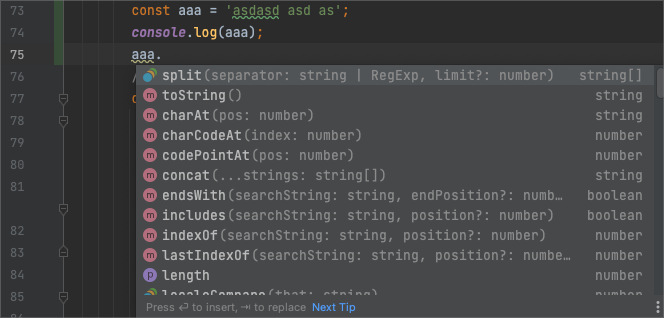

Editor. The debugger switched off (just writing the code). Started typing' aaa.':
Started debugger. Stopped on line 74:
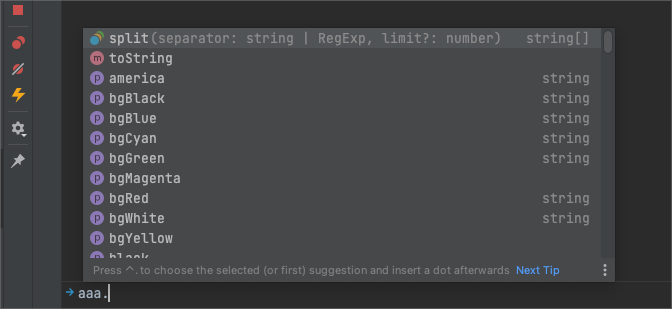
I see strange context in the Debugger console:
Sorry, but we need a project to investigate the issue; it's not clear what's going on
Elena Pogorelova
Hello, Elena!
A was able to reproduce the problem in my repo: https://github.com/PKSpeleo/auto-complete-bug-example
The problem a little bit another, but still in the topic and I think this is the root of the problem:
# This is simple example how IntelliJ Editor and Debugger console context works with code autocomplete (suggestions)


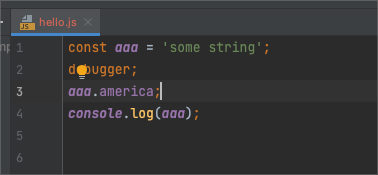

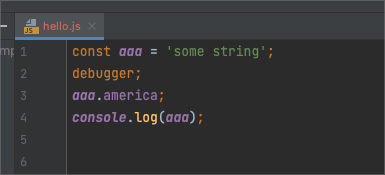
## Case 1: not imported module
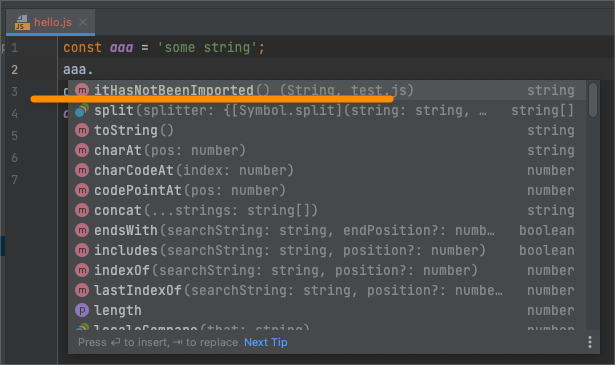
- Got to file 'hello.js'
- On the line number 3 (after `debugger` line) start to type: `aaa.`
- You will see autosuggestion `iiHasNotBeenImported`
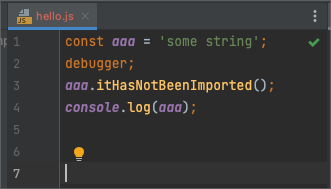
- You can apply and will not see any error or trying to import it from `test.js`
- The code running will be failed.
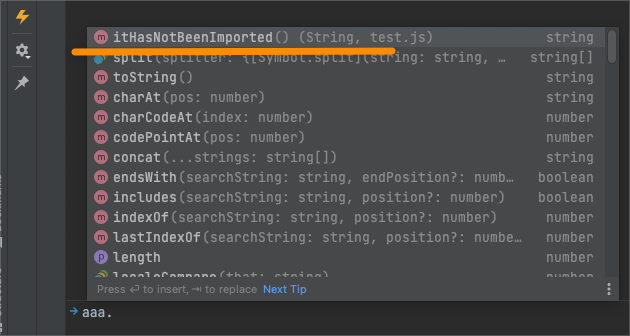
- Run debugger, the code will stop on the line 2 (debugger).
- Go to Debugger Console and try to type `aaa.`.
- You will see again `iiHasNotBeenImported`
**Questions:**
- Why `iiHasNotBeenImported` there?
- Why in the editor this suggestion appears if it was not imported?
- Ok, if it was applied - then it must be imported automatically or IntelliJ must highlight the error, but it is looks fine:
- Why this suggestion appear in the Debugger console during run time if it has not been imported? It will not work anyway!
## Case 2: Not imported package
- Go to `hello.js`
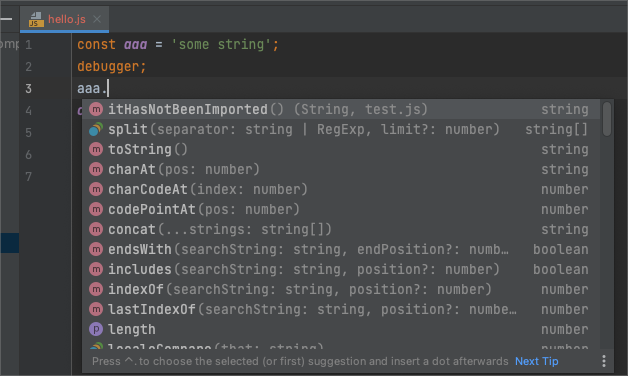
- Start typing on the last string `aaa.`
- You will same as before (from previous example):
- Now install packages:
```shell
yarn install --frozen-lockfile
```
- On the line number 3 (after `debugger` line) start to type: `aaa.`
- You will see autosuggestion from installed package (america and so on):
- Again no errors or automatic import if suggestion was applied:
- Run `hello.js` in the Debug mode with IntelliJ IDE
- Make sure that code was sopped on the line with 'debugger'
- Got to Debugger console
- Start typing 'aaa.'
- Pay attention on the showed menu with autocompletion suggestions again:
**Questions:**
- Why suggestions are there?
- Why in the editor this suggestion appears if it was not imported?
- Ok, if it was applied - then it must be imported automatically or IntelliJ must highlight the error, but it is looks fine:
- Why this suggestion appear in the Debugger console during run time if it has not been imported? It will not work anyway!
>- Why `iiHasNotBeenImported` there?
- Why in the editor this suggestion appears if it was not imported?
Neither hello.js nor test.js are modules, they don't import/export anything. Why should the IDE suggest to import a function that hasn't been exported? property is added to the global object. Your code will work fine if you use the browser to run it by including both files in HTML page:
>Why this suggestion appear in the Debugger console during run time if it has not been imported? It will not work anyway!
Completion in console is the same as in editor, it is a result of analyzing code statically, i.e. the information actually available in runtime is not used for completion (https://youtrack.jetbrains.com/issue/WEB-25405)
>Again no errors or automatic import if suggestion was applied
the way properties are defined in module typings is the issue:
declare global {
    interface String {
        strip: string;
        stripColors: string;

        black: string;
        red: string;
        green: string;
        yellow: string;
        blue: string;
        magenta: string;
        cyan: string;
        white: string;
        gray: string;
        grey: string;

        bgBlack: string;
        bgRed: string;
        bgGreen: string;
        bgYellow: string;
        bgBlue: string;
        bgMagenta: string;
        bgCyan: string;
        bgWhite: string;

        reset: string;
        // @ts-ignore
        bold: string;
        dim: string;
        italic: string;
        underline: string;
        inverse: string;
        hidden: string;
        strikethrough: string;

        rainbow: string;
        zebra: string;
        america: string;
        trap: string;
        random: string;
        zalgo: string;
    }
}
they are added to global namespace that's why the IDE doesn't suggest to import them