EditorTextField is not edittable

Hello,
I am creating a plugin for PyCharm to generate getters and setters for private variables (I understand how weird that is for python, this code is not for me). I want to let people edit the format of the getters and setters from the generation menu. You can see the WIP gui in the attached image (I'd appreciate it if anyone knew how to improve that formatting, it looks super ugly right now).
The issue is: I am unable to modify these EditorTextField strings though
private fun createField(language: Language, project: Project, code: String): EditorTextField {
    val field = CustomEditorField(language, project, code)
    field.setOneLineMode(false)
    field.isVisible = true
    field.isViewer = false
    field.isEnabled = true
    field.setCaretPosition(0)

    add(field) // add field to JPanel
    return field
}
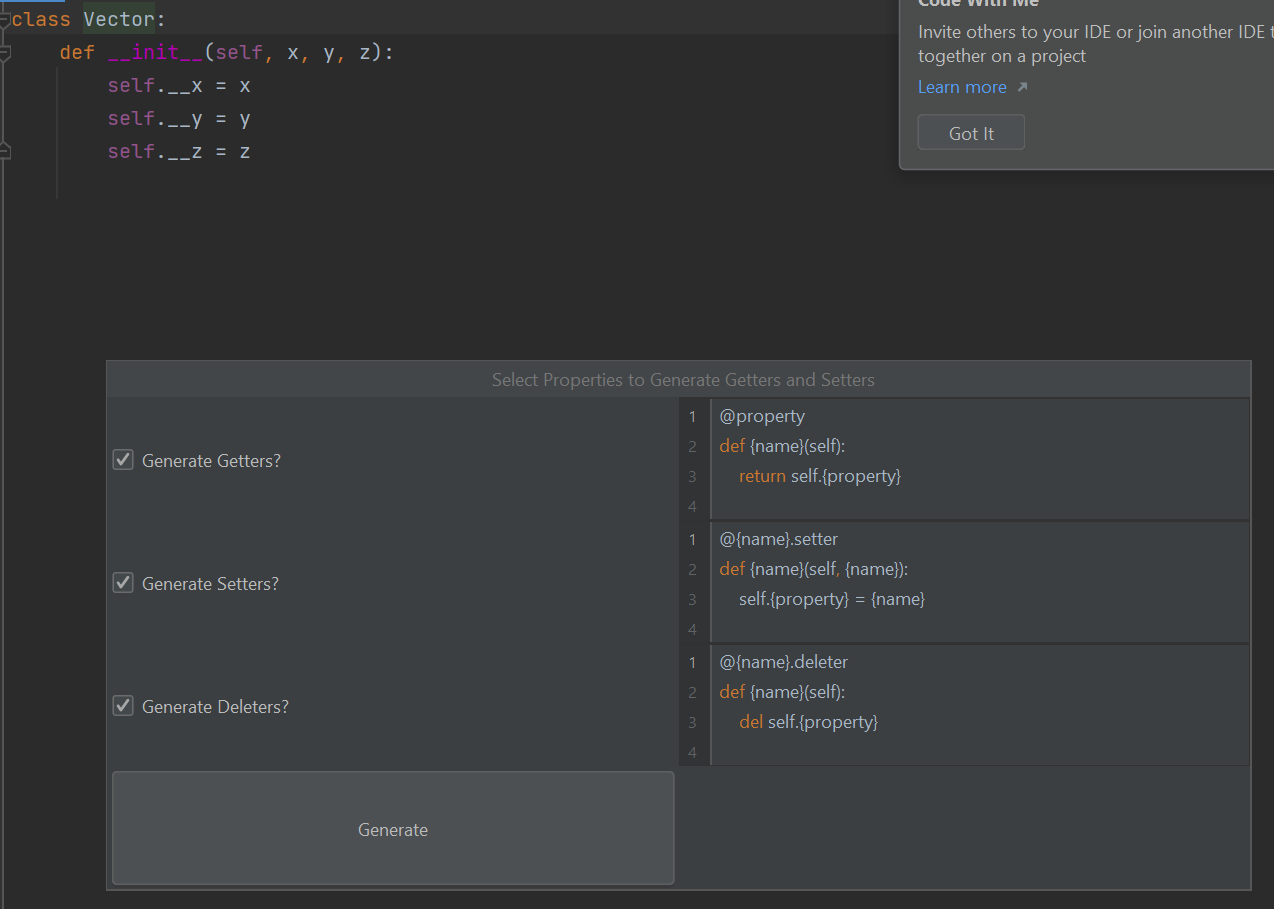
Here is where I create the popup: https://github.com/CJCrafter/PythonGettersAndSetters/blob/getset-window/src/main/kotlin/me/cjcrafter/pygetset/GenerateGettersSetters.kt#L32-L37
Here is the code that generates each text input field: https://github.com/CJCrafter/PythonGettersAndSetters/blob/getset-window/src/main/kotlin/me/cjcrafter/pygetset/GenerateOptionsPanel.kt#L120-L131
Both Google and chat-gpt gave me wrong answers, so I appreciate any help you can give.
Please sign in to leave a comment.
Hi Collin,
I suggest hiding the possibility of editing templates in this popup. It doesn't seem like an activity that will be performed by user every time they want to generate these methods. My suggestion is to use code templates that can be provided by plugin and edited by user in "Settings | Editor | File and Code Templates". See the docs: https://plugins.jetbrains.com/docs/intellij/file-and-code-templates.html for the details. It would allow to hide the editor fields.
Regarding the UI, use https://plugins.jetbrains.com/docs/intellij/kotlin-ui-dsl-version-2.html for building the dialog content. You don't need to worry about the layout when DSL is used. All is handled under the hood and produces the UI consistent with other IDE forms.
Thanks for the GUI suggestions! You're right that I should hide those templates and leave them in settings... But I haven't been able to use text editors in my popups. Is there a setting I need to enable to get text editors to work?