PHPStorm Cannot See Node On Mac OS Unless Opened From Terminal

I am using the latest release version of Mac OS and PHP Storm.
Issue
If I open PHPStorm from the Mac Applications Folder and issue node -v from the terminal inside PHPStorm, the following is returned.

But if I open PHPStorm from a Mac terminal like this
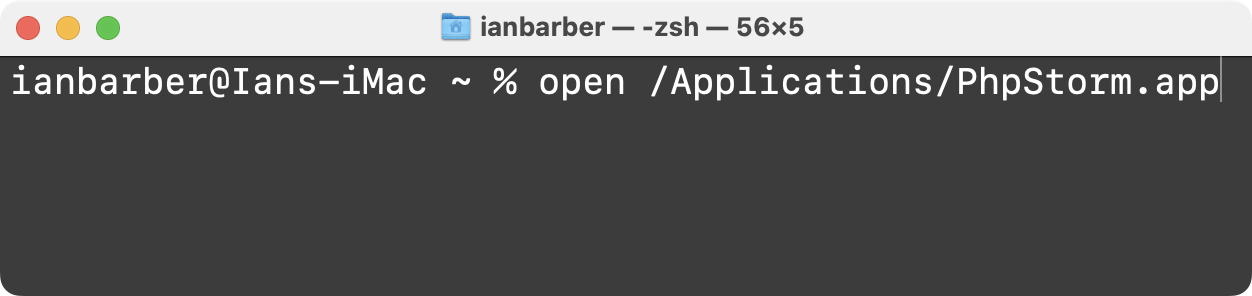
and then issue node -v from the terminal inside PHPStorm, it works
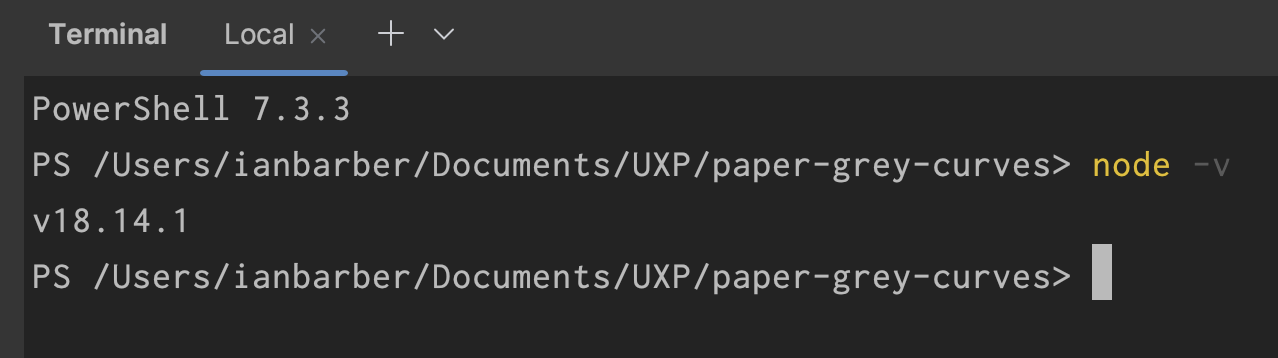
Why do I have to open PHPStorm everytime from a Mac Terninal for it to work ?
Please sign in to leave a comment.
Could you please restart PhpStorm normally, not from the terminal, and then upload your logs (Help | Collect Logs and Diagnostic Data) here? https://uploads.services.jetbrains.com/
Eugene Morozov I have now uploaded the logs as requested
I can't access them without the upload ID - it was shown after the upload was over.
Could you please share the ID as well? If you no longer have access to it, please upload the logs again.
Eugene Morozov I have uploaded again and the info is
Upload ID: 2023_03_08_WuZL1PZda3MMpJCvma4gB6
Could you please share '$env:PATH' (please mind the case-sensivity) PowerShell output from three scenarios?

- IDE launched via console;
- IDE launched from apps (I bet the output will be "PATH=/usr/bin:/bin:/usr/sbin:/sbin" as log states whereas "node" is installed in "/usr/local/bin");
- PowerShell launched outside of IDE.
As a quick workaround, you may override PATH variable in Terminal settings by copying the same output you have in console-launched IDE, for example:
Vasiliy Yur This is the information.
PhpStorm Launched From Terminal
PATH=/usr/local/microsoft/powershell/7:/usr/local/bin:/System/Cryptexes/App/usr/bin:/usr/bin:/bin:/usr/sbin:/sbin:/Users/ianbarber/Documents/UXP/uxp-plugin-template/node_modules/.bin
PhpStorm Launched From Applications Folder
PATH=/usr/local/microsoft/powershell/7:/usr/bin:/bin:/usr/sbin:/sbin:/Users/ianbarber/Documents/UXP/uxp-plugin-template/node_modules/.bin
Thanks for the update!
Turns out, it is a known issue:
https://youtrack.jetbrains.com/issue/IDEA-262759/PWSH-on-Mac-does-not-pick-up-environment-variable-PATH-therefore-missing-executables-and-commands
As a workaround, you may add "/usr/local/microsoft/powershell/7:/usr/local/bin:/System/Cryptexes/App/usr/bin:/usr/bin:/bin:/usr/sbin:/sbin:/Users/ianbarber/Documents/UXP/uxp-plugin-template/node_modules/.bin" to the PATH variable override as seen on a screenshot above, that should do the trick.
Vasiliy Yur The other post was submitted 2 years ago, is this still being looked into?
The workaround you suggested, will this be global across all projects (enter it once and forget about it)?
The ticket seems to have a low priority because of the zero votes and rare scenario (PowerShell on macOS) but I left an internal comment there to bring attention to the issue.
The suggested workaround would not work for all projects as Terminal settings are tied to the specific project.
However, I have managed to find another solution by adding '/usr/local/bin' to the current user PowerShell profile (should work with all profiles, I guess).
It should be simple as that, open a current user profile script first:
Add the following line there (do not forget that PATH should be all in capital, official PowerShell doc seems to be wrong with "Path"):
Checked on my setup and it seems to be working fine. Could you please try it as well?
Please take note that you might need to create the profile and path to it first:
if (!(Test-Path -Path $PROFILE)) { New-Item -ItemType File -Path $PROFILE -Force }Just in case, a bit more about env vars and profiles in PowerShell:
https://learn.microsoft.com/en-us/powershell/module/microsoft.powershell.core/about/about_environment_variables?view=powershell-7.3#saving-environment-variables-in-your-profile
https://learn.microsoft.com/en-us/powershell/module/microsoft.powershell.core/about/about_profiles?view=powershell-7.3#the-profile-variable