Using poetry always fails to catch module

My native language is not English, so please let me know if you cannot understand what I am saying!
I have recently been using 'poetry', but when I use alt + enter, there are no suggestions for available third-party package libraries.
step1
Reminder for "requests"
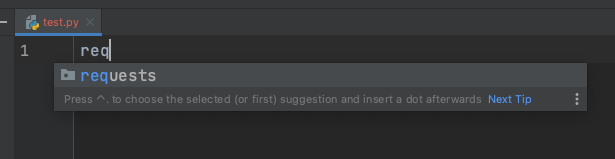
step2
However, there is no automatic import and using the shortcut requires me to install 'requests'.

step3
But actually, I already have 'requests' installed.
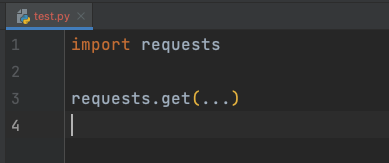
Is there any setting that I didn't set? I use "venv" and don't have this problem.
Please sign in to leave a comment.
Hi, the issue doesn't seem reproducible for me on PyCharm 2023.1.
First of all, please make sure you're on the latest version -- https://www.jetbrains.com/pycharm/download/
When the package is installed, PyCharm should not suggest to install it, only to import
Could you please try this:
1. Press alt+enter and select "Install and import requests".
2. Remove the import statement and repeat the process again.
Do PyCharm still suggest to install the package even though you explicitly installed it on step 1?
Also, could you please run the following snippet and provide the output?
I was originally on 2022.2.4 and now I have upgraded to 2023.3.1.
The "requests" suite has been resolved.
But some kits will have problems.
poetry
print sys executable: use ".venv" and alt + enter
No 'beanie' module was found during the search."
pip venv
print sys executable: use "venv" and alt + enter
The 'beanie' module was found during the search.
I hope to achieve the same effect when using 'poetry' as when using 'pip venv'.
The issue is not reproducible for me with Poetry interpreter, unfortunately.
Please try **File | Invalidate Caches... | Clear file system cache and Local History | Invalidate and Restart**
OK, I have looked at the picture you provided and found that the project venv does not exist.
I used "poetry config virtualenvs.in-project true" to make venv follow the project.
After using "poetry config virtualenvs.in-project false," there were no more issues with modules not being found.
Can you try "poetry config virtualenvs.in-project true" and see if the module can't be found?
Feel free to vote and comment on it.
Thank you very much.