Problem with saving password to VCS

I have a problem with the latest version of PhpStorm. Earlier passwords to git repositories were stored and I didn't have to enter them when I was working on different projects. Now it doesn't work for me, I need to enter passwords every time I change project.
Here is what it looks like:
- I open project A, when I choose "update project" (ctrl + T) I get a popup when I need to enter password for git repository. I enter this password, check Remember checkbox and click OK, then it works on that project.
- Now I open project B, when I choose "update project" I get the popup, enter a password for this repository, check checkbox and click OK.
- Now when I return to project A I get the popup again and I need to fill the password again - why? In earlier version I never have to enter password (only for the first time), but now every time I change project I need to fill the password.
Please sign in to leave a comment.
Hi there,
Could you please state your OS and show what do you have at "Settings/Preferences | Appearance & Behavior | System Settings | Passwords"?
I use Windows 10, for settings please check the screenshot: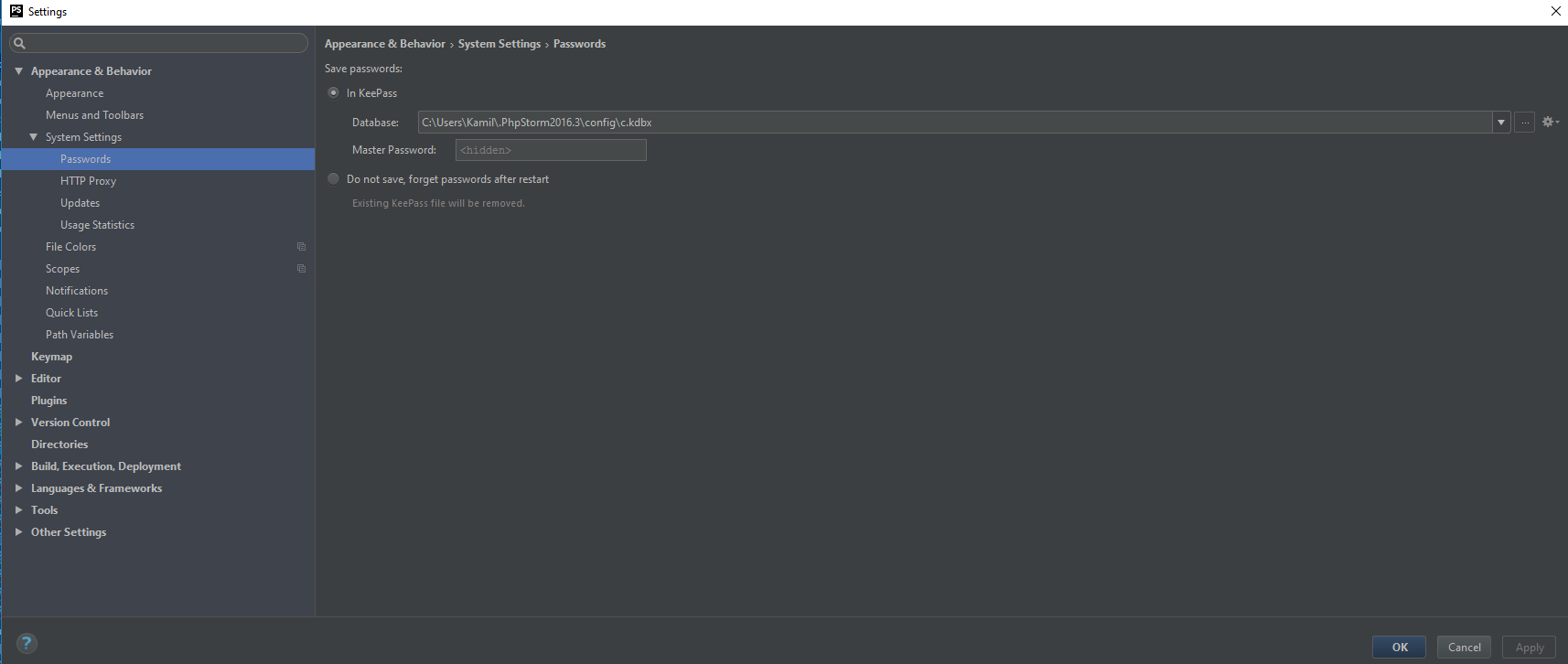
1) Anything interesting in idea.log (Help | Show Log in Explorer)?
2) What custom (not bundled by default) plugins do you have there? Can you disable them all for the moment and see if it will resolve it?
Other than that -- it might be (since I do not know all the details):
I really don't uderstand. According to this comment: https://youtrack.jetbrains.com/issue/IDEA-162522#comment=27-1840980 I UNCHECK the "Remember" checkbox and then PhpStorm doesn't ask me for password... but when I restart PhpStorm I need to fill the password again (but only once, not every time).
Most probably it's IDEA-162522, please modify your remote URLs to not contain usernames to workaround this.