2017.1: Upgrade '+' For Package Install / Upgrade Doesn't appear
Answered

Hello,
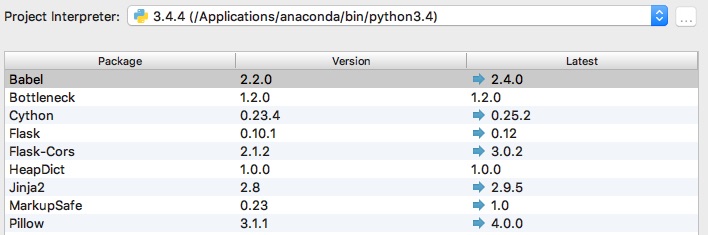
I just installed CE 2017.1. I'm using Anaconda as the package manager. I'm not seeing a green '+' in the package manager configuration window in the Project Interpreter. Looking at the instructions in https://www.jetbrains.com/help/pycharm/2016.3/installing-uninstalling-and-upgrading-packages.html, I'm not seeing anything obvious that I've missed.
What should I do at this point?
Please sign in to leave a comment.
Please, look at the bottom of the window to find "+" button.