Just updated to 2017--What is this new bar and how do I get rid of it?
Answered

I finally got around to updating to IJ 2017 (community edition) and I'm noticing this new bar and can't figure out what to even call in order to find it in the settings and remove it. I have encircled it in red here:
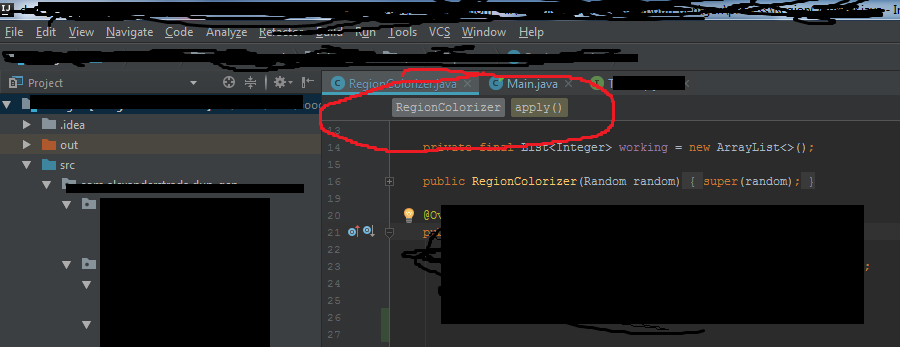
It shows the class name and the name of whatever method the cursor is currently inside of (I searched the settings for 'scope' to no avail), but it clutters up the visual space with not-very-useful information. I can't right-click it at all, I can't seem to find anything in settings regarding it (though the settings are vast and I simply don't even know where to look).
Help! I'm finding it very distracting.
Please sign in to leave a comment.
https://www.jetbrains.com/help/idea/2017.1/guided-tour-around-the-user-interface.html
It's not even shown here! Brutal.
EDIT: I went through the change logs for each version since the one I was using (2016.1) and can't see any mention of this change, but it's definitely new since then. I accidentally installed 2016.3.6 and momentarily thought I was insane because it was present in that version. It's definitely not present in 2016.1, thankfully, so I'll go ahead and stick with that for now.
See http://stackoverflow.com/a/39181026/104891. It's not a new feature, but new for Java.
You're a hero! I absolutely never would have even come close to finding that. I tried a hell of a lot of search terms on Google but never thought to involve bread. It would be pretty slick if the bar was responsive to right-clicks and simply had that checkbox in the menu, or *something*, because otherwise I don't really see how someone who wants to turn this off is supposed to do it without your help short of toggling every single option in the IDE.