RubyMine 'Evaluate Expression' history shortcut

In the RubyMine debugger, when you're at a breakpoint and you hit 'Evaluate Expression', there's a little button to show the history of evaluated expressions. I could swear that in IDEA, you could trigger that history by hitting the up or down arrow. However, in RubyMine, I have to mouse-click it to see the history, and I don't see any affordance to assign a keyboard shortcut.
So is there a way to add a keyboard shortcut to it? Or alternately, could you make it work like in IDEA?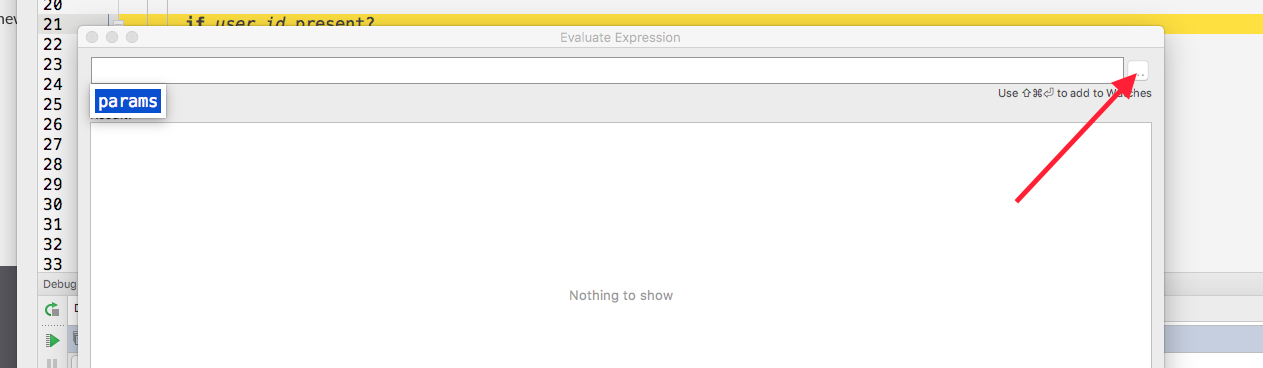
Please sign in to leave a comment.
Hello,
could you please specify what RubyMine version and Keymap you're using (it worked fine for me in RM 2017.2 EAP with Mac OS X 10.5+)
Hi Olga-
What keystroke do you use do trigger the Show History in the Evaluate Expression dialog? I'm only able to access it with the mouse.
Here's my version and platform info:
RubyMine 2017.1.3
Build #RM-171.4424.69, built on May 22, 2017
JRE: 1.8.0_112-release-736-b21 x86_64
JVM: OpenJDK 64-Bit Server VM by JetBrains s.r.o
Mac OS X 10.12.5
Hi,
sorry for the delay. In this case you can use Arrow down, that will show the history (I was checking in RubyMine 2017.1.5)