Printing diagram: broken labels
Answered

When printing diagrams something went wrong with by labels since 2017.x
Looks like printing backwards. Something wrong with my fonts?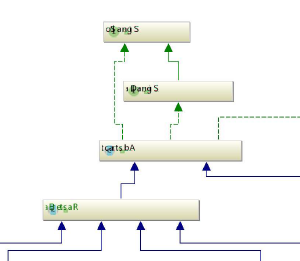
expected output:
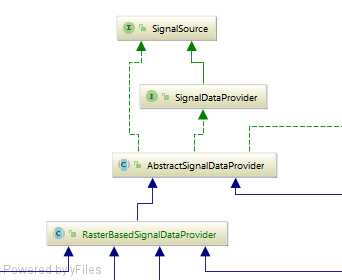
Dieter.
Please sign in to leave a comment.
Please file a bug at https://youtrack.jetbrains.com/issues/IDEA with idea.log (https://intellij-support.jetbrains.com/hc/articles/207241085) and a sample code/diagram to reproduce attached.
Hi Serge,
just found it was related to the page orientation setup!
I choose landscape. Choosing portrait looks much better.
It's not related to a specific project. For me it's reproducible with a diagrams of even java.lang.Object.
If you are still unable to reproduce it, I may send a log file, but I do not see any related errors in the log.
Dieter.
Thanks for the information, https://youtrack.jetbrains.com/issue/IDEA-172754 reported, please follow for updates.
By the way, what OS do you use? Is it reproducible when printing to PDF? What specific PDF printer do you use? Please also attach idea.log to the issue linked above.