CLion Swift plugin is no compatible with latest swift version
Answered

Hi, I cannot run Swift code in CLion using your plugin. I am sending screenshot, too. Am I missing something?

Please sign in to leave a comment.
Looks like you have a development snapshot. For 3.1.1 only the release build is supported. Alternatively, you can try 4.0 snapshots. They might be unstable, but Swift plugin will not refuse working with them.
Thanks a lot, now it's working! I just cannot use debugger to see what is stored in each variable. It doesn't work in macOS Clion neither.
Please make sure that the "Use Swift debugger" option is enabled in the Swift plugin settings.
It was not. But I have enabled it and it's still not working. It was enabled in macOS Clion and it didn't work neither.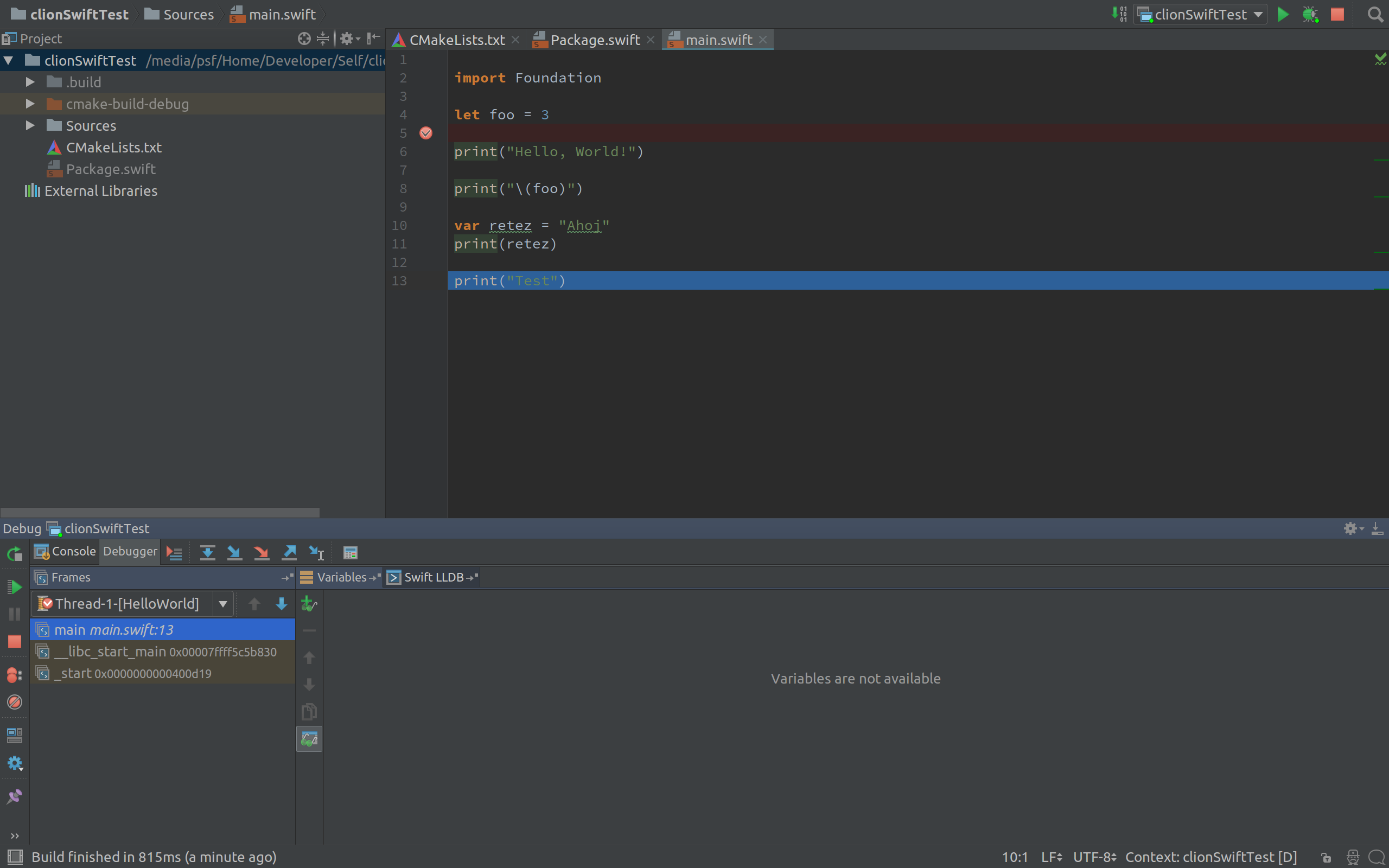
Global variables/constants are not displayed by CLion, because in large projects they can quickly pollute the scope. Please try creating a function and see if it works in there.
OK, now it shows the type but not value stored in property.
Please make sure that the binary was built with exactly the same toolchain, as the one specified in the plugin settings. If it is, then:
Here is a idea.log
https://pastebin.com/9X401WXu
According to the log, LLDB returns empty descriptions for these variables. Unfortunately, I don't have any other explanation: something's wrong with the binary. Most likely, it was built with a different toolchain. Please make sure that the swift compiler in CMakeLists.txt is correct, then delete the entire cmake-build-debug directory and try again.
I have tried to make whole new CLion project and it didn't help. So maybe it's just a bug. The Clion shoud be set up properly because in C++ project it works fine.