Output becomes jumbled when running my program.py
Answered

When running my code that I am creating in the PyCharm editor, I am running into some issues. When I press run, the program will run just fine and bring up the text that I tell it to output, but the text doesn't appear in the correct order.
Like so:

It should output something like this:
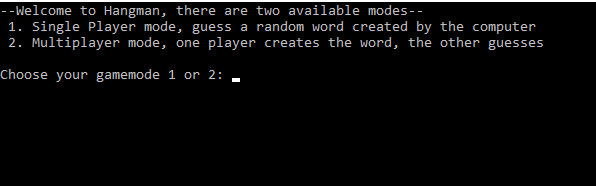
This issue just began happening today when I moved the .py file to a new location. I am fairly new to the PyCharm editor so I am probably doing something very obviously wrong, but I can't locate anyone with similar issues online, at least I don't know what to search for. I have also tried opening the .py file from it's original location where it did work in the past but it doesn't even work there anymore.
Please sign in to leave a comment.
Here is another example of the jumbled output:
And here is my code:
Hi Jdelfosse! Could you please specify what PyCharm version and color theme are you using?
Community Edition 2017.1.4
Darcula
I mean Editor color scheme which is also used for run window. It doesn't look like Darcula. Do you have "Emulate terminal in output console" option enabled in Run Configuration for this script?
Yes I do have Emulate terminal in output console enabled, and I do not know how to check the theme for just the editor, I looked in settings and I saw Darcula under Appearance and Behavior
Pavel, So I disabled the Emulate Terminal option and this seemed to have fixed my issue. However, I was wondering why this option would cause my script to become jumbled like this, if it was working fine with the option enabled previously.
This should indeed works correctly, I created a ticket in our tracker PY-24787. Meanwhile this option is not supposed to be used on windows, it's available to user by mistake. You can check editor color scheme in Settings | Editor | Color Scheme but it has nothing to do with the problem as we discovered.
Ok thanks for the help! I am running on Windows 10 by the way.