Meteor Project - breakpoints in client folder js files not hit

Environment
IntelliJ IDEA 2017.1.4
Build #IU-171.4694.23, built on June 6, 2017
Windows 7 6.1
Meteor 1.5
Browser: Chrome version 59.0.3071.109 (64-bit)
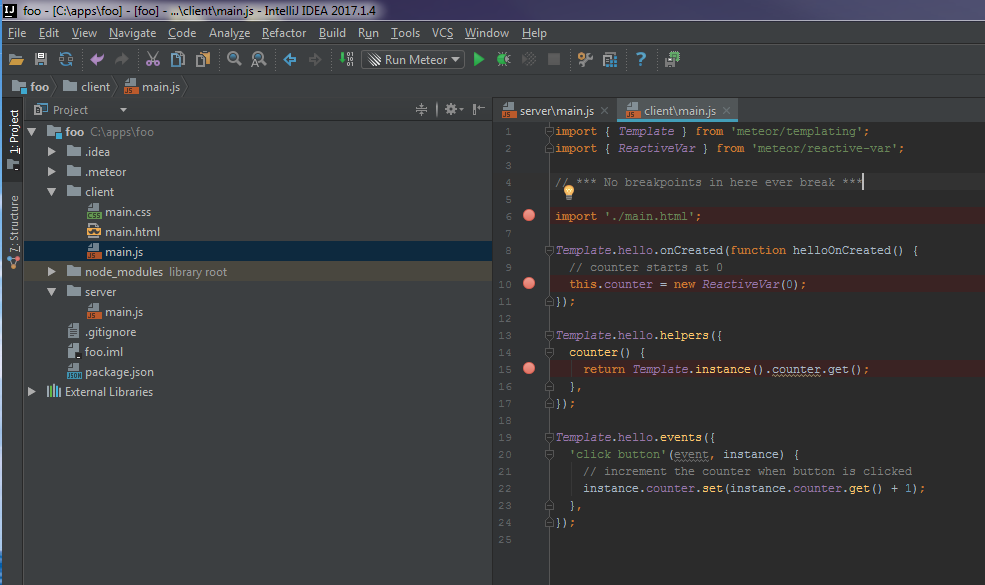
Very simple to reproduce. After creating a Meteor app via New Project > Meteor App with the default template, server\main.js breakpoints break as expected in debug mode while those in client\main.js are ignored. I am using Chrome and have the JetBrains IDE Support extension enabled. I also have the IntelliJ LiveEdit plugin enabled and have followed the documentation for using Meteor. My run/debug configurations look like this:
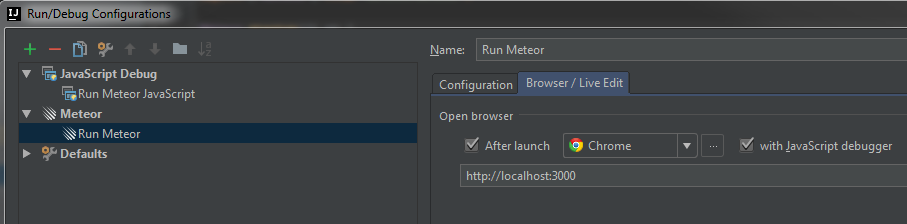

What could I be missing? Typing the "debugger;" statement inline in the client-side js files does cause the debugger to break, but this is obviously less than ideal. I would love for breakpoints to just work on both client and server files.
Server:

Client:
Please sign in to leave a comment.
Known issue, please follow https://youtrack.jetbrains.com/issue/WEB-25102 for updates
Thanks, I had looked through a few issues but didn't see this one. Discouraging to see that it's been an open issue for months now.